For years, Weebly has been one of the “default” names people hear when they search for an easy website builder. It promises a drag-and-drop editor, bundled hosting, and a fast setup process – all without touching code or managing servers.
If your needs are simple, that pitch still has appeal. But the website world has moved on, and so have user expectations. Today, the real question isn’t just “Is Weebly easy?” but “Is Weebly still the right foundation for a serious website?”
This in-depth review walks through Weebly’s core features, real-world advantages, and important drawbacks, so you can decide if it’s a platform to stick with – or a sign that it’s time to plan a move.
What Weebly Actually Is (And What It’s Not)
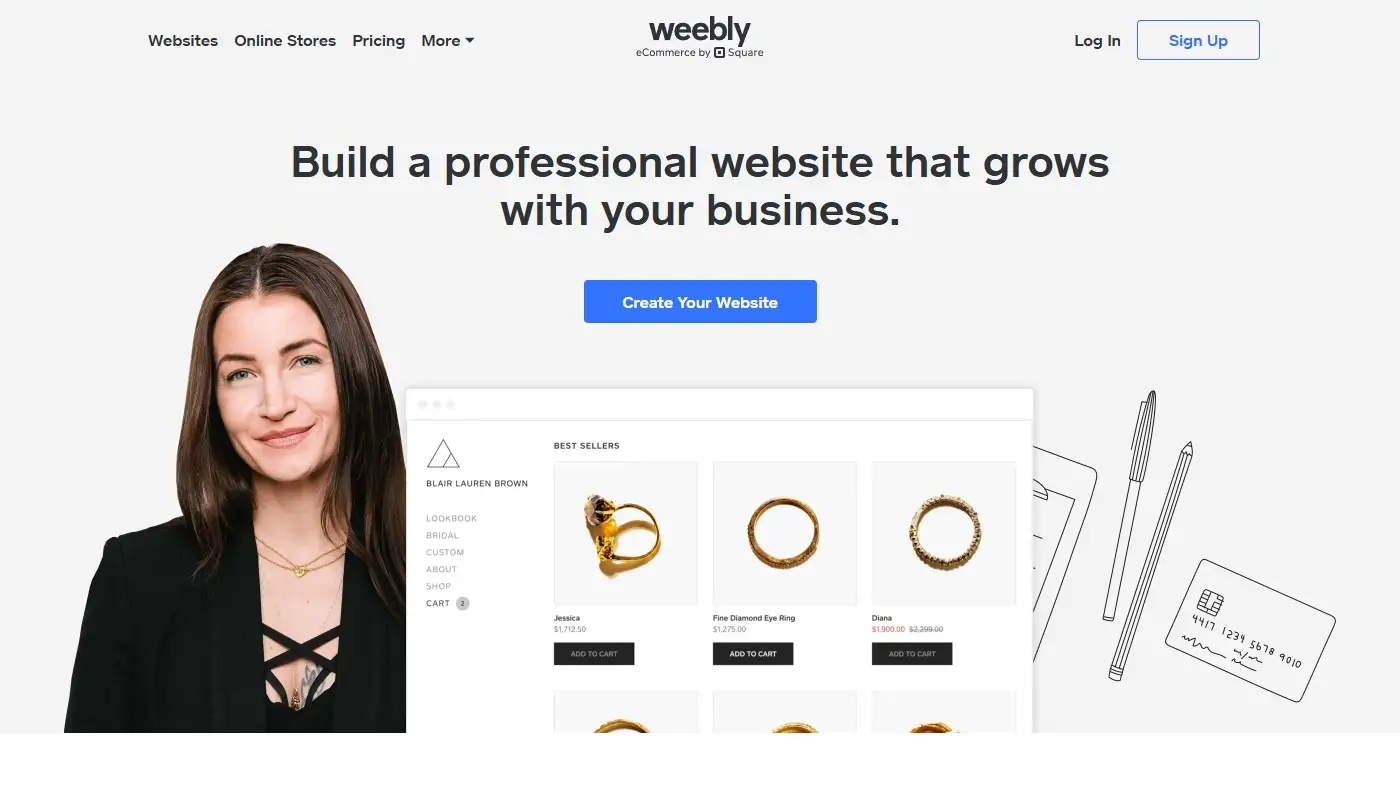
At its core, Weebly is a hosted website builder. You:
- Create an account
- Choose a theme
- Build pages with a visual editor
- Pay a recurring fee that includes hosting and platform access
You never touch server settings or install software. That’s the upside.
The trade-off is that you’re working inside a closed, proprietary system. You can’t easily take your exact design, structure, or advanced functionality with you if you decide to leave. You get simplicity – at the cost of flexibility and long-term independence.
Weebly is not ф full-blown content management system (like self-hosted WordPress), a cutting-edge design tool for highly custom layouts or a best-in-class platform for SEO, performance or eCommerce.
It’s built for “get me online quickly,” not “support my business as it scales and evolves for years.”
The Weebly Editor: Simple, Familiar and Limited
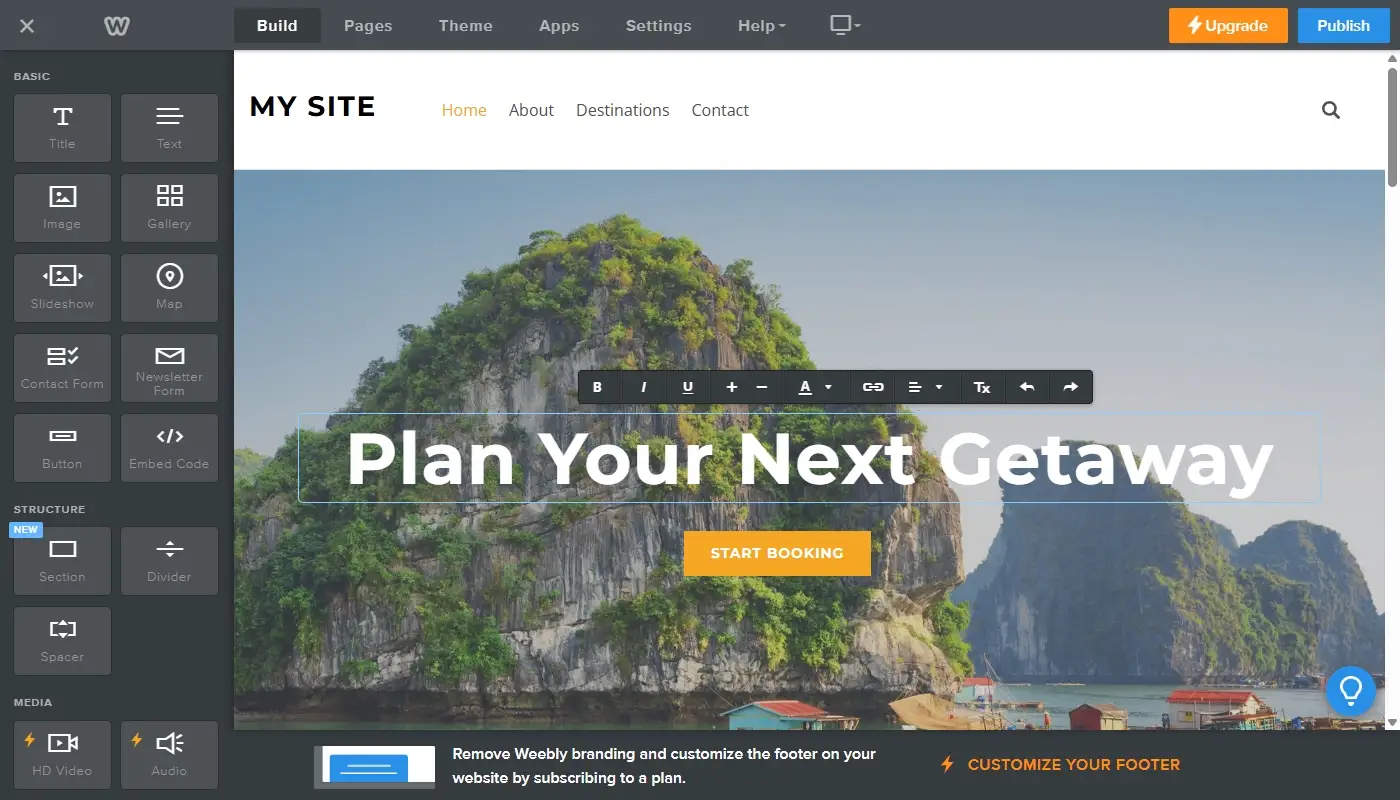
Weebly’s drag-and-drop editor is where many people fall in love with the platform – at least initially.
You assemble pages by dragging elements like text blocks, images, buttons, and forms onto a canvas. You can rearrange sections visually and see changes in real time. There’s very little to configure, so you can go from concept to finished page surprisingly fast if your layout needs are basic.
However, the editor’s strengths are closely tied to its limitations:
- You’re working inside a relatively rigid grid.
- Fine-grained control over spacing, alignment and responsive behavior is limited.
- Complex layouts, overlapping elements or highly custom sections often feel like a struggle.
When your site is just a handful of simple pages, this isn’t a problem. But as soon as you want more creative control or more advanced UX, you start running into the edges of the tool.
Templates and Design Options
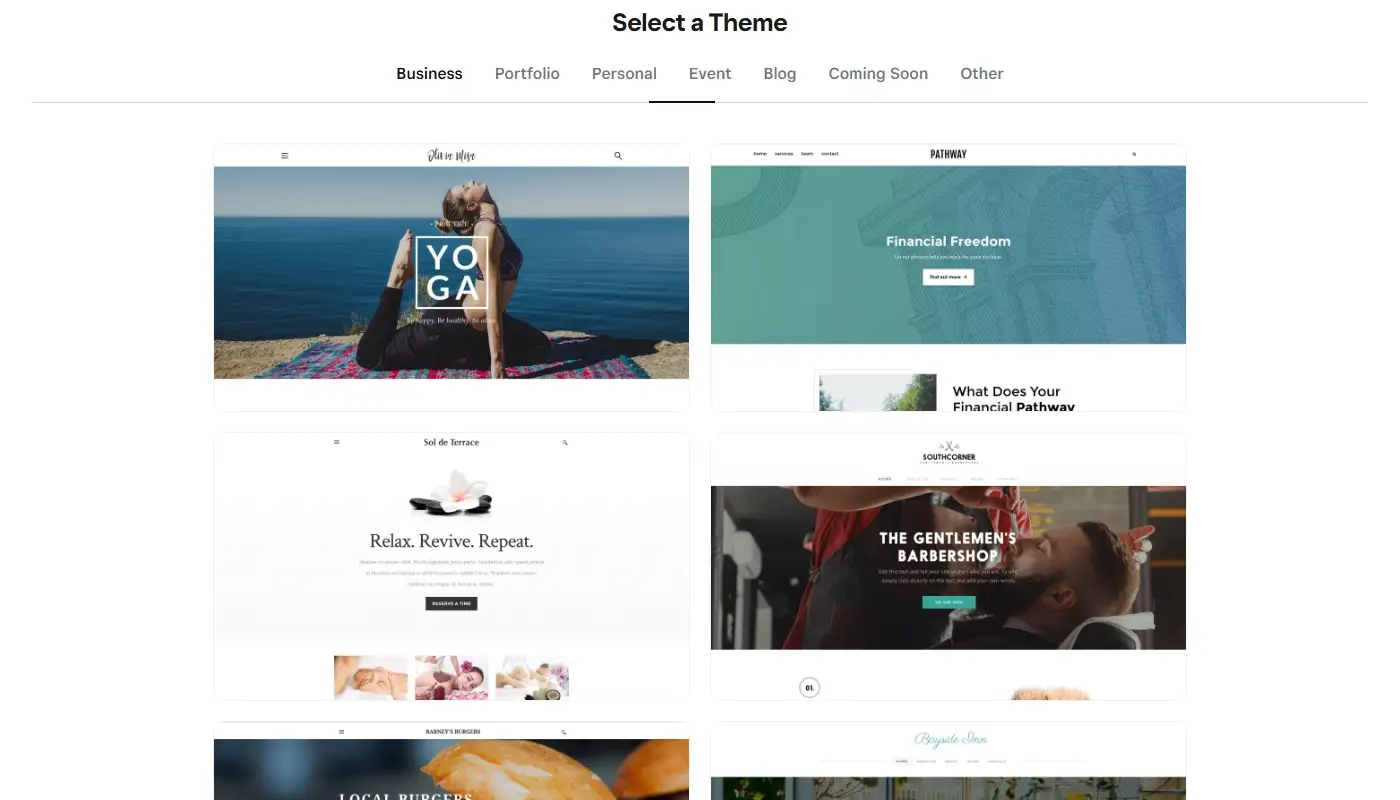
Weebly provides a selection of pre-designed themes covering common categories – business, portfolio, blog, store, events, etc. Most are clean and reasonably modern, easy to tweak with basic color and font options as well as designed for straightforward, “safe” layouts.
For many basic sites, this is enough: your site won’t look terrible, and you won’t have to wrestle with design decisions.
The downside is that the template library is relatively small and not as frequently refreshed as some competitors. Sites built on Weebly can start to feel interchangeable, and it’s harder to create something that looks truly unique or sharply on-brand without custom code.
If you care deeply about visual differentiation or want your website to look like a polished, modern marketing asset rather than just “a template with your logo dropped in,” this is one of the first areas where Weebly begins to feel dated.
Read also: Wix In-Depth review
Blogging and Content Management
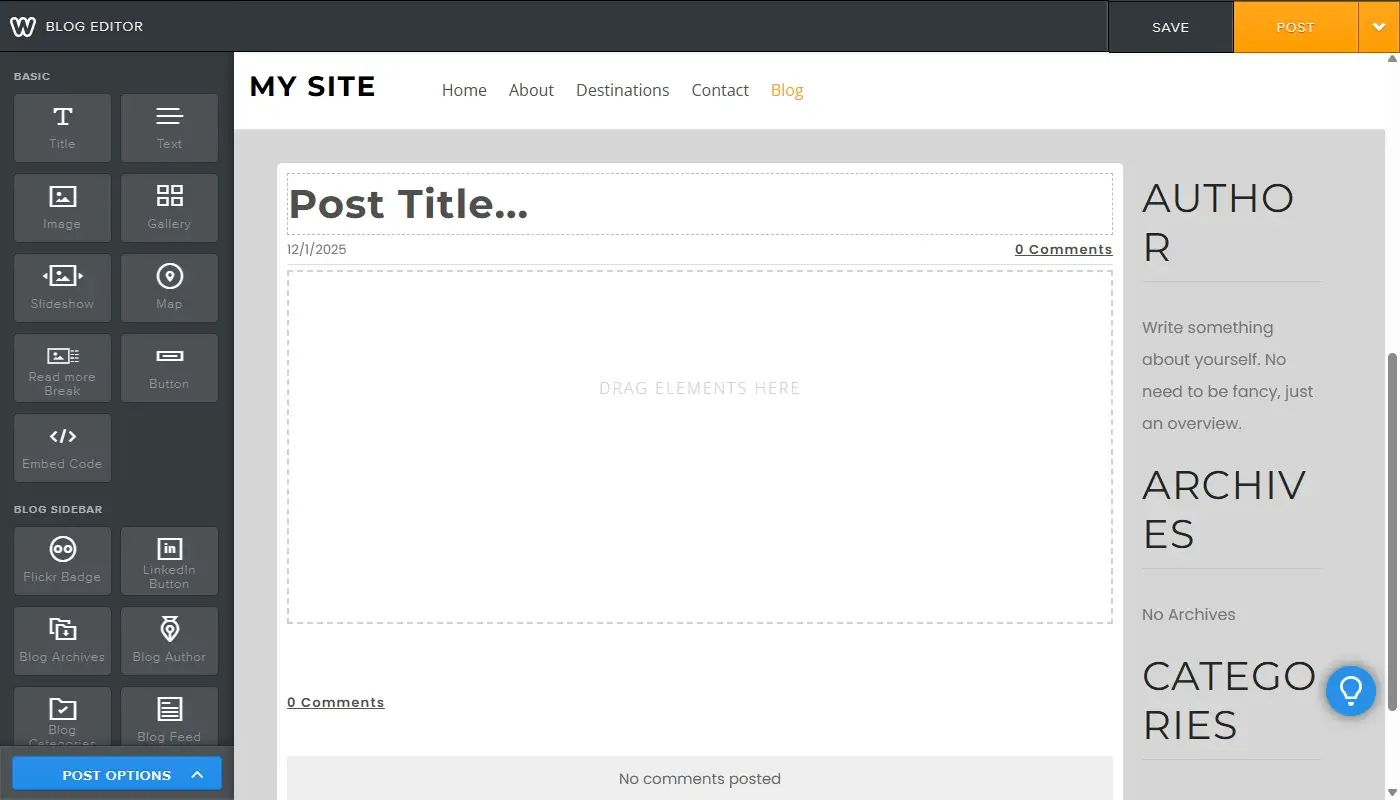
Weebly includes a built-in blogging feature. You can create posts with text, images, and basic formatting, organize posts into categories, schedule or publish immediately and add simple sharing and commenting options (depending on setup).
For small blogs, news updates or occasional articles, this is fine. But Weebly’s content management shows its limits when you want more flexible content types than just “page” and “post”, need complex archives, topic clusters or custom taxonomies or just plan a serious content-driven SEO strategy with dozens or hundreds of articles.
The platform wasn’t designed as a content powerhouse. It lets you add posts to a site, but it doesn’t give you the same structural tools or scalability that more advanced systems provide.
eCommerce: Good Enough for Small Stores, Not a Retail Engine
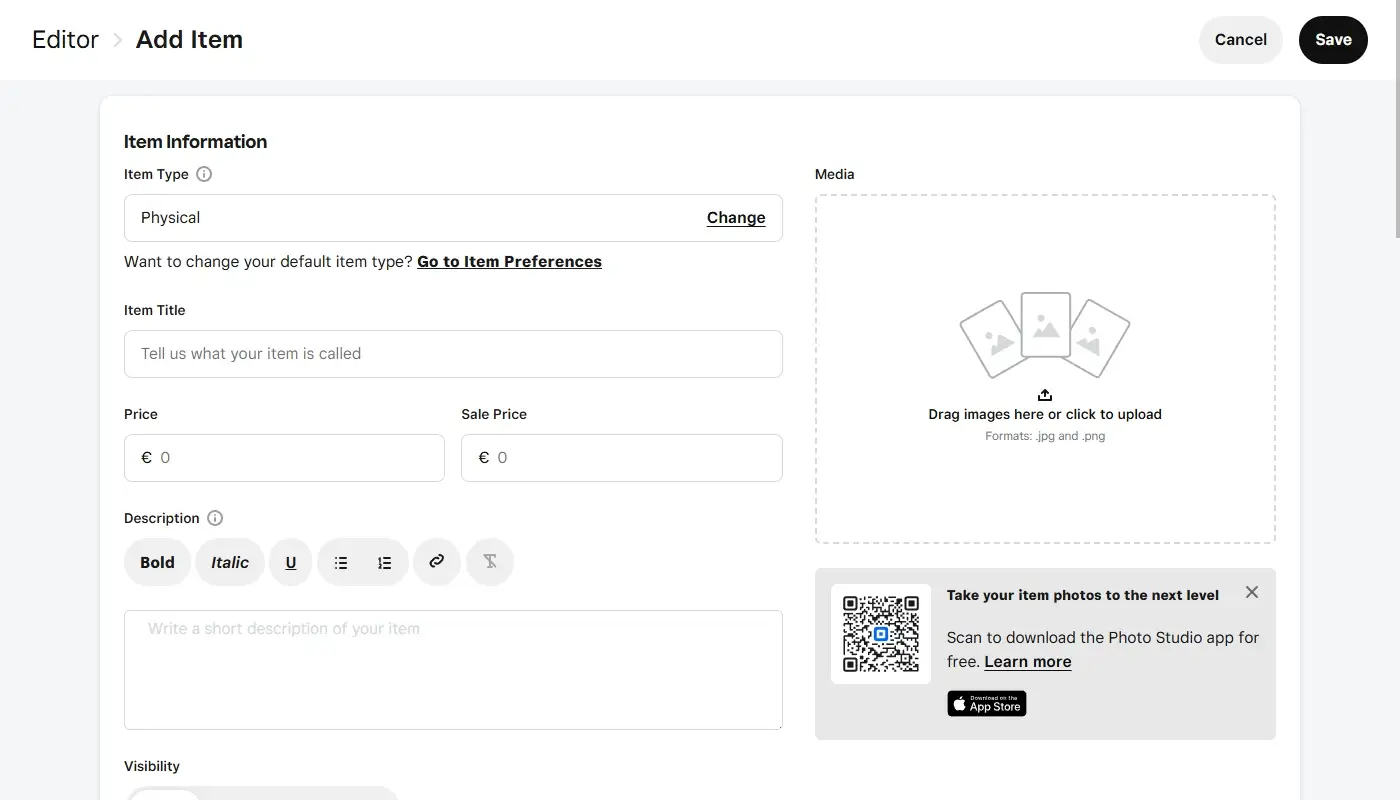
Weebly also offers built-in eCommerce functionality. You can set up product pages with images and descriptions, create a simple catalog and categories, accept payments and manage orders, configure basic shipping and tax options.
For a small side-business with a limited range of products, this can be perfectly adequate. You’ll be able to sell online without a separate store platform.
But the boundaries become obvious when you need complex shipping logic, multi-currency, or advanced tax rules, want strong upsell/cross-sell tools and conversion optimization features or rely on deep integrations with inventory, warehouse, or fulfillment systems.
Weebly’s eCommerce is “nice to have” for small catalogs. For serious online retail, it feels more like a starter kit than a long-term home.
Read also: Weebly vs Wix — How to Pick the Right Website Builder for You
Apps, Integrations and Extensibility
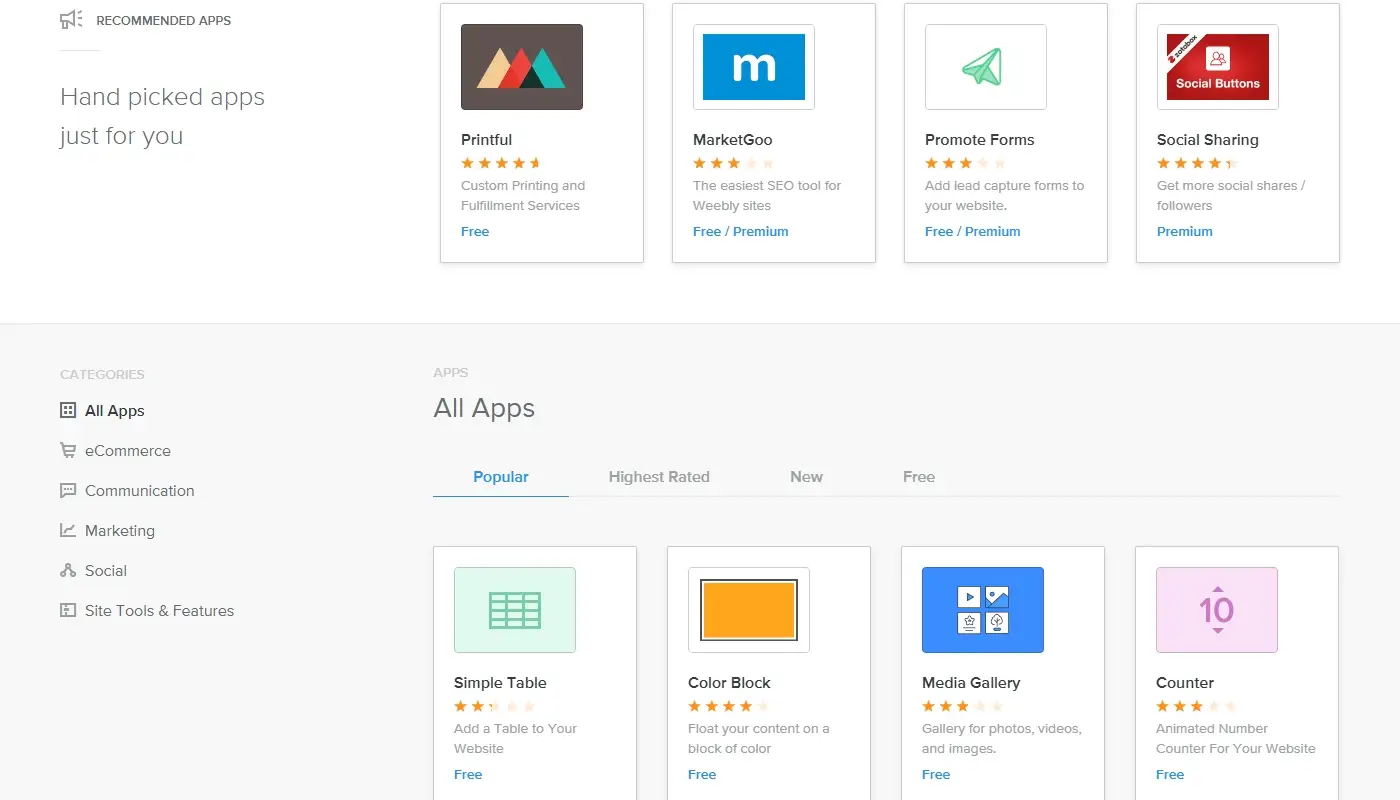
Weebly’s App Center aims to extend the platform with extra functionality: contact forms, social feeds, marketing widgets, and various utilities.
This helps, but the ecosystem is relatively small. If your business runs on specific tools – CRM systems, email automation platforms, booking software, analytics stacks – you may find:
- No direct integration
- Only basic or partial integration
- Reliance on third-party workarounds or generic embed codes
By contrast, more open or larger ecosystems give you multiple choices for each type of integration. With Weebly, you’re often stuck with “what’s available” rather than “what’s ideal.”
This isn’t always a deal-breaker, but it becomes increasingly frustrating as your business processes become more sophisticated. At some point, the lack of integration options stops being an annoyance and starts being a constraint.
SEO and Analytics: The Basics and Not Much More
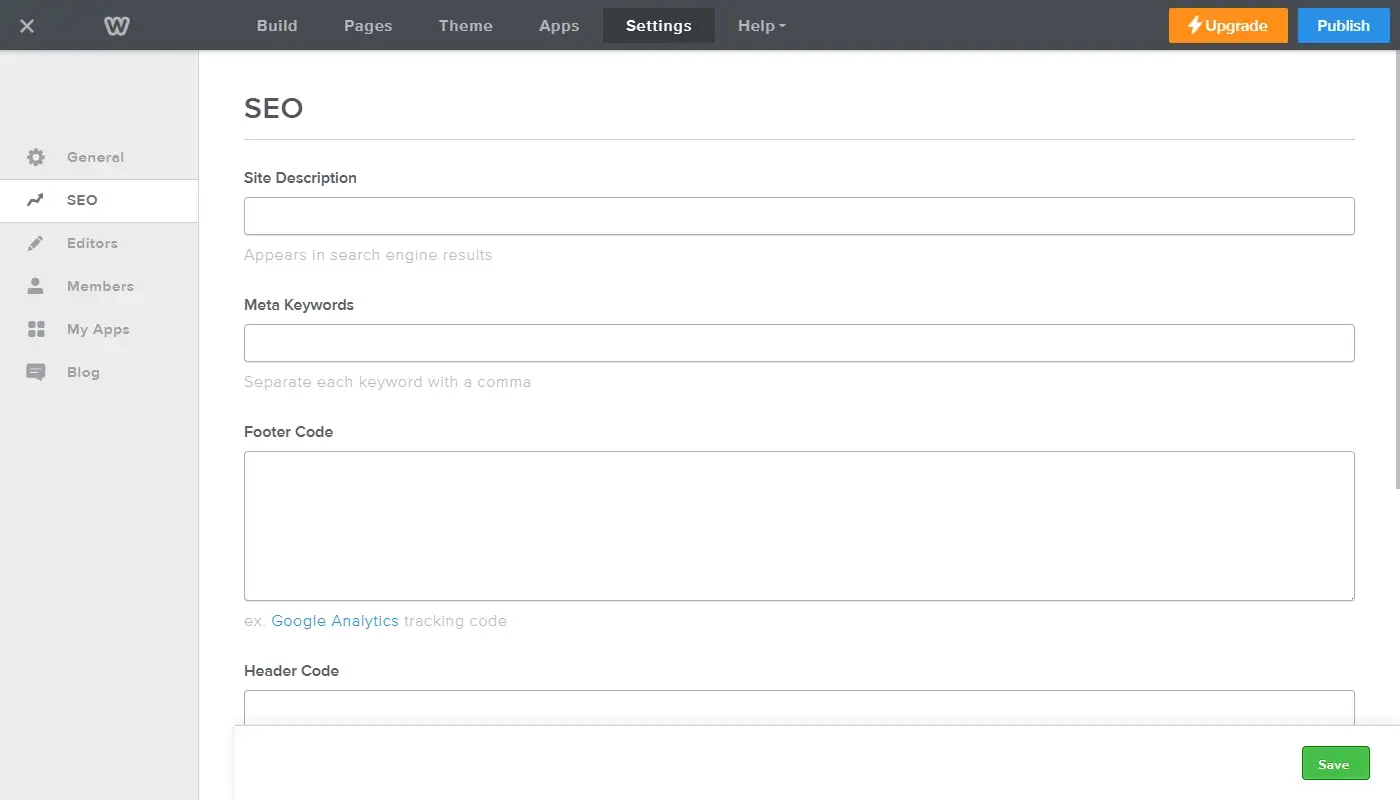
Weebly includes basic SEO controls: page titles and meta descriptions, customizable URLs in most cases, header tags and alt text for images as well as simple redirects in some setups.
You can also connect external analytics tools, like Google Analytics, to get traffic data and behavior insights.
For very small sites or low-competition niches, this can be enough to maintain a minimal search presence.
However, if you intend to compete seriously in search or build a large, content-heavy site, Weebly’s limited access to underlying structure and technical settings becomes a key drawback. You don’t have deep control over URL patterns and site architecture, advanced schema and structured data support via native tools, flexible options for handling redirects, canonical tags, or technical tweaks and fine-grained performance optimization levers.
You can still improve content, do keyword research, and structure pages intelligently – but you’ll always be doing so inside a system that wasn’t built for advanced SEO programs.
Performance, Security and Maintenance
One of Weebly’s genuine advantages is how little you have to think about hosting and security. Servers, uptime and basic security measures are managed by the platform. You don’t update software yourself; the builder is updated centrally. Backups and infrastructure concerns are largely abstracted away from the user.
For non-technical site owners, this is comforting. You don’t wake up to plugin update notices or have to worry about whether your PHP version is out of date.
On the flip side, this also means:
- You have limited control over performance tuning beyond compressing images and keeping pages tidy.
- If you ever want to move to a different infrastructure or optimize at a deeper level, you can’t – you have to leave the platform entirely.
Weebly’s “we’ll handle it for you” approach is great for small projects, but once you want to fine-tune performance or customize infrastructure, you run out of options very quickly.
Weebly’s Advantages: Where It Still Makes Sense
Despite its aging feel in some areas, Weebly does have real strengths:
- Extremely low barrier to entry. Almost anyone can sign up, pick a theme, and publish a simple site in an evening. The editor is straightforward, and there’s less decision fatigue than on more complex platforms.
- Low maintenance overhead. No server management, no manual software updates, no complicated security configurations. For users who never want to see a hosting control panel, this matters.
- Predictable, contained feature set. Because the platform is relatively limited, it’s harder to get lost or overbuild something you don’t need. For a very small, low-stakes project, that limited scope can actually be a positive.
- Decent “all-in-one” start for micro-projects. For a personal portfolio, a temporary campaign site, a school project, or a very basic small-business presence, Weebly can serve as a quick, minimal fuss solution.
If your website is genuinely low-impact – something that doesn’t need to grow, doesn’t drive significant revenue, and doesn’t play a major strategic role – Weebly’s advantages can outweigh its shortcomings.
Weebly’s Drawbacks: Where It Starts to Hold You Back
The same traits that make Weebly easy for beginners create significant issues as your expectations grow.
- Limited design and layout flexibility. You can tweak templates, but it’s difficult to create something truly custom or visually distinctive without workarounds. Modern design patterns and more sophisticated layout concepts are simply easier to execute elsewhere.
- Constrained ecosystem and integrations. The small App Center and limited integration options make it hard to connect Weebly to the tools you use to run your business. As your tech stack grows, the platform can start to feel like a bottleneck.
- Shallow SEO and content architecture. You can cover the basics, but large content strategies and competitive SEO programs are not Weebly’s strong suit. Over time, this can limit how much organic traffic your site can realistically earn.
- Platform lock-in and poor portability. You can export some content, but you can’t simply pick up your entire site – design, structure, and functionality – and move it elsewhere. Real migrations require reconstruction and cleanup in a new platform.
- Slower pace of evolution. Compared with more aggressively developed ecosystems, Weebly’s feature velocity feels modest. You’re less likely to see cutting-edge tools, layouts, or native integrations appear early – or at all.
These drawbacks often aren’t obvious on day one. They appear gradually, at the exact moment when your website starts to matter more to your business.
Should You Use Weebly Today?
Weebly still delivers on its original promise: a simple, low-friction way to get a basic website online. If that’s all you need – something modest, unlikely to grow, and not central to your business – it can still be a reasonable choice, especially if you value not having to think about hosting or technical details.
However, the moment your website is tied to real marketing, real leads, or real revenue, the platform’s constraints become hard to ignore. Limited design flexibility, a small ecosystem, shallow SEO capabilities, and long-term lock-in make Weebly a risky foundation for projects that actually matter.
If you’re starting to feel those limitations, that’s not a sign to give up on your website ambitions. It’s a sign that the platform that got you online might not be the one that should take you forward.
If you’d like a migration checklist or a visual feature comparison to help you kickstart your move, just let me know – happy to help you make a smart and smooth transition!
Read also: Best Weebly Alternatives — Top Platforms for Moving Your Website