If you’re deciding whether to build, relaunch or move a website to a no-code platform, the Weebly vs Wix comparison can still appear relevant. Both services offer hosted websites, visual editing and bundled tools for people who do not want to manage servers or build every page from code. At first glance, they seem to solve the same problem.
In practice, however, the gap between the two platforms has widened. Weebly remains available and can still handle a basic website or a small store, but its editor, template ecosystem and development pace increasingly reflect an earlier generation of site builders. Wix has continued to add responsive design controls, AI-assisted creation, business management features, CMS tools and deeper SEO settings.
This means the decision is no longer only about which drag-and-drop editor feels easier. You also need to consider product direction, the ability to add new functionality, mobile design, content management, eCommerce, search visibility and how difficult a future migration may become.
In this updated comparison, we’ll look at how Weebly and Wix work today, where each platform still makes sense, and which one offers the stronger foundation for a website you expect to maintain for several years.
1. How Weebly and Wix Work Behind the Scenes
Both Weebly and Wix are hosted website builders. You create an account, select a starting design and build your pages inside a browser-based interface. Hosting, security updates, the editor and core website features are managed by the platform rather than installed separately.
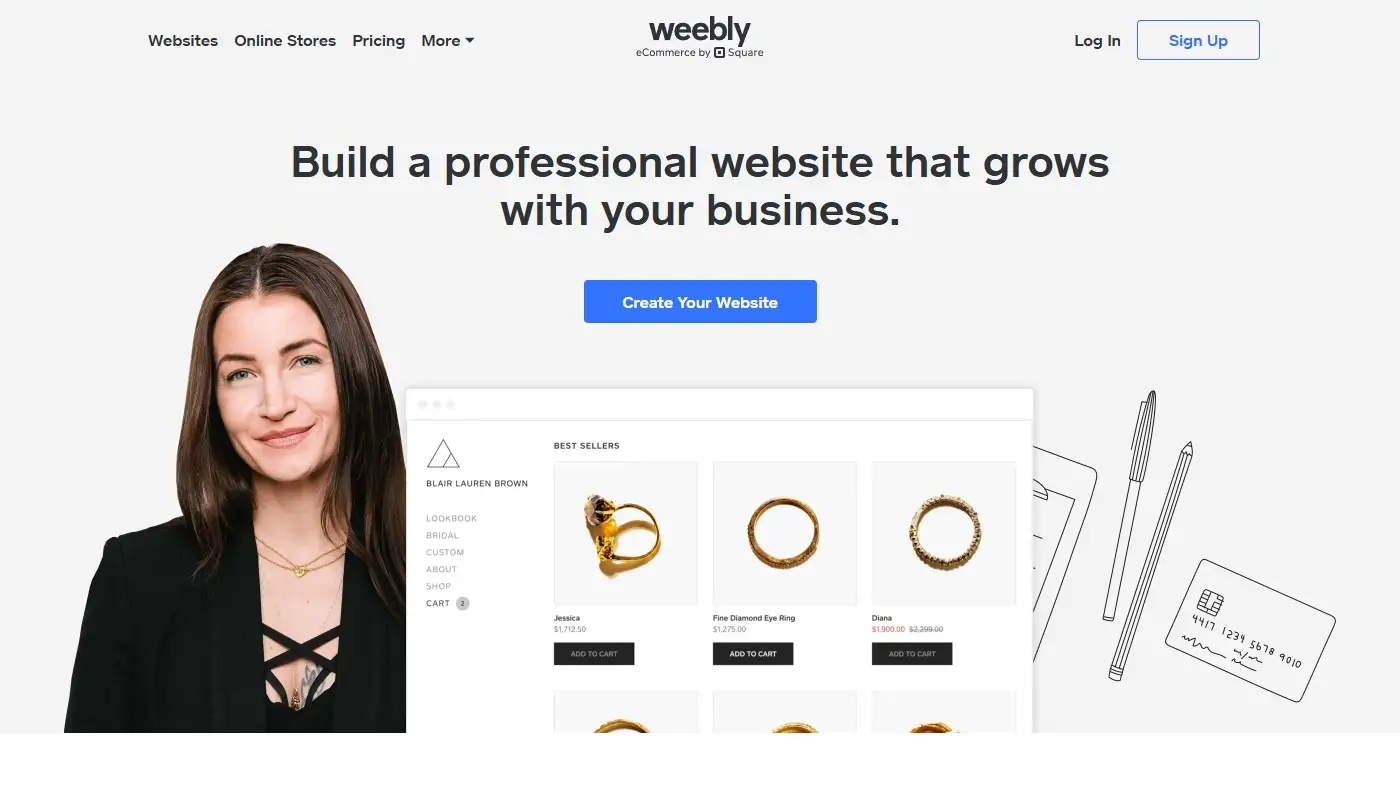
With Weebly, the experience is intentionally simple and relatively constrained. You work with a compact collection of themes, a section-and-block editor and a limited App Center. The platform hides most technical complexity, which can be reassuring for a first website but leaves fewer options when you need a custom layout, a specialized integration or a more ambitious content structure.
Weebly is now closely tied to Square. That relationship is particularly relevant for merchants because Square’s current website and commerce ecosystem focuses heavily on online selling, payments and synchronization with other Square tools. Existing Weebly sites can still be managed, but users should understand that the traditional Weebly builder and Square Online are related yet not identical editing experiences.
Read more: Weebly In-Depth Review — Advantages, Drawbacks and Core Features
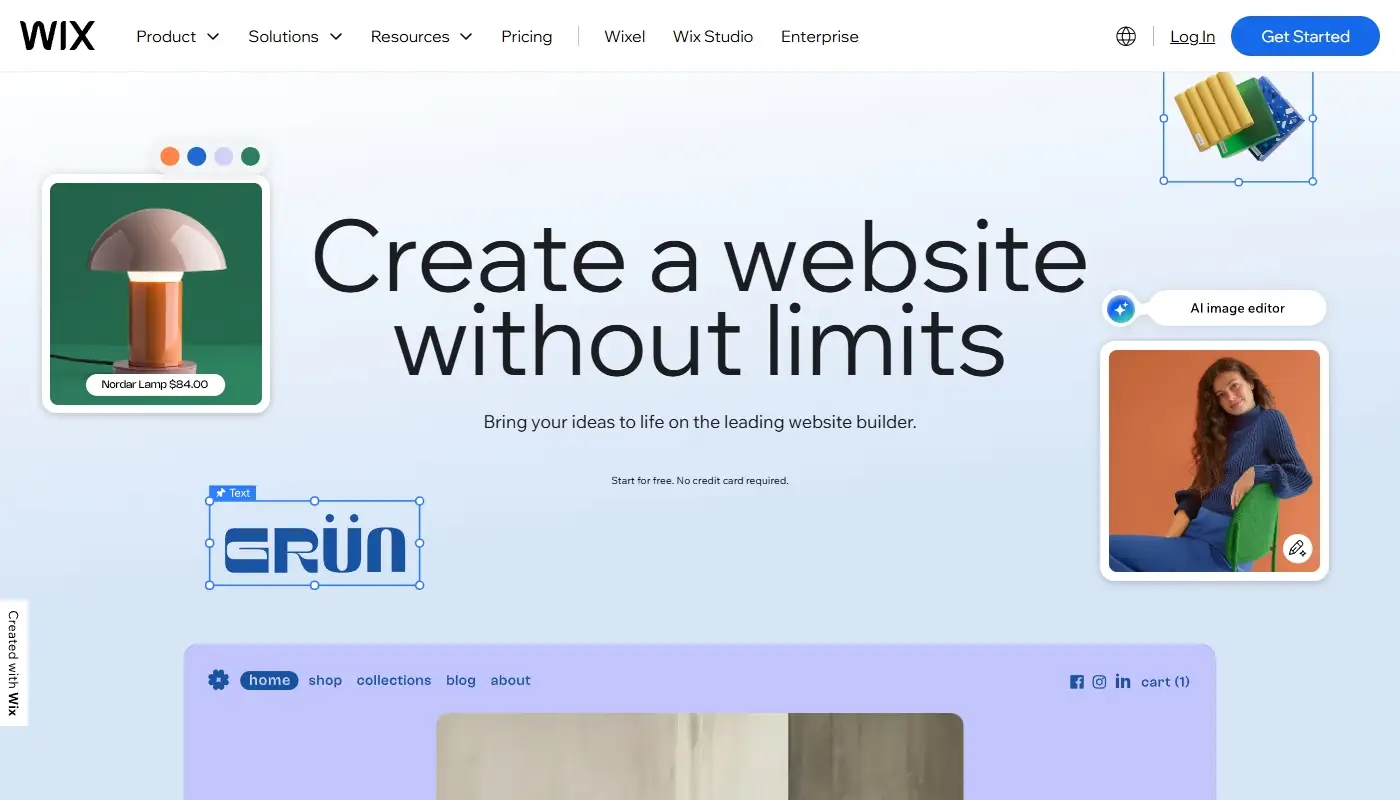
With Wix, the hosted model is similar, but the platform is broader. Wix combines visual website creation with business tools, an app ecosystem, content collections, marketing features and several ways to build. A beginner can start with AI-assisted setup or a template, while a designer or agency can use Wix Studio for responsive layouts, breakpoints, collaboration and more precise control.
Read more: Wix In-Depth Review — A Complete Guide to Its Features and Benefits
Both platforms are proprietary ecosystems, so neither gives you the portability of an open-source CMS. The practical difference is that Wix currently provides more room to expand before those platform boundaries become a serious problem.
2. Ease of Use: Which Builder Feels Simpler?
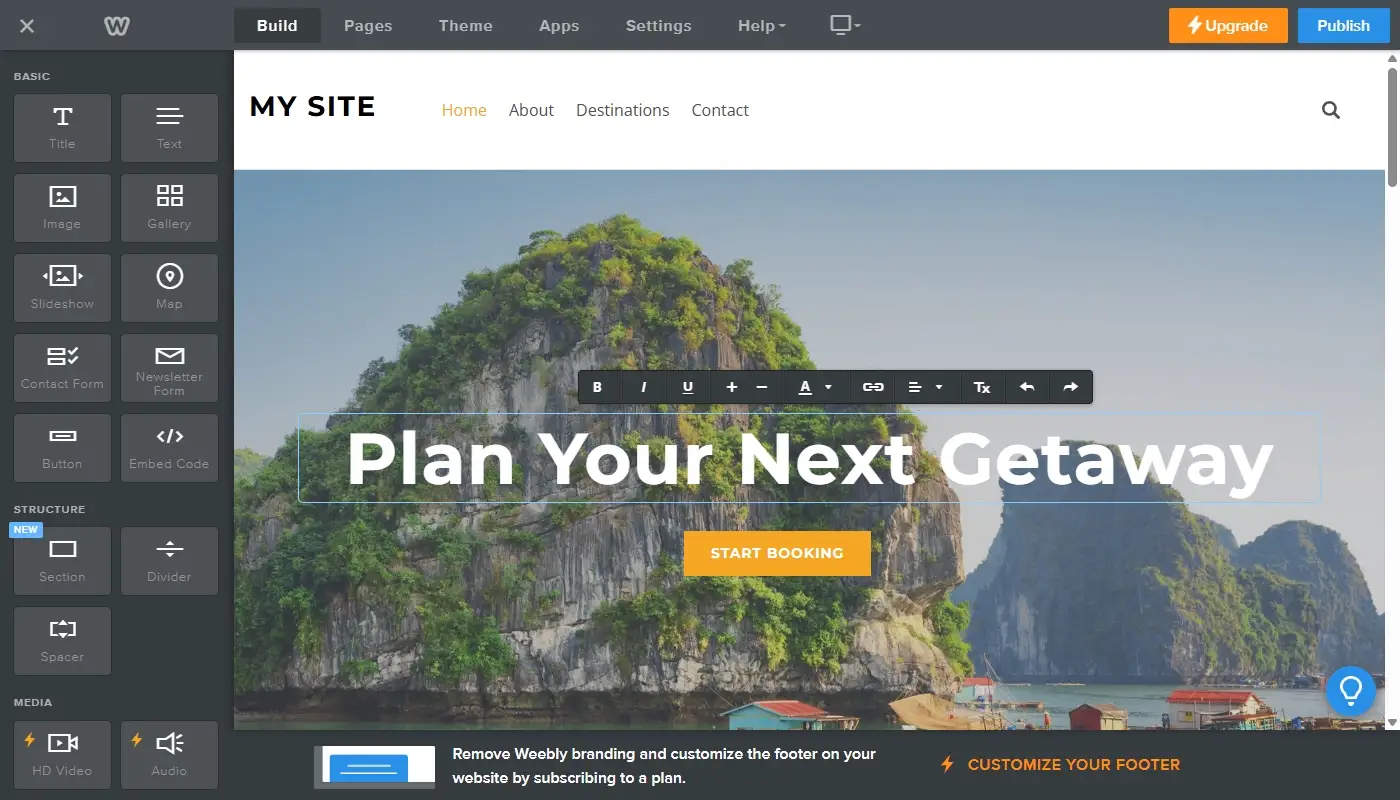
One of Weebly’s strongest advantages has always been simplicity. Its interface is difficult to get lost in. You drag content blocks onto a page, replace the sample text, upload images and publish. For users who are uncomfortable with technology or who need only a small informational site, that straightforward workflow remains appealing.
The trade-off is that Weebly is easy partly because relatively few design decisions are available. You can complete a standard page quickly, but creating a distinctive layout often requires compromises. Controls for spacing, positioning, responsive behavior and reusable design systems are much more limited than in newer platforms.
Wix has a higher ceiling and therefore presents more choices. A user can move elements more freely, adjust sections in detail, work with reusable styles and add business features from the dashboard. This can make the interface feel busier during the first hour, but most of the complexity appears only when you choose to use it.
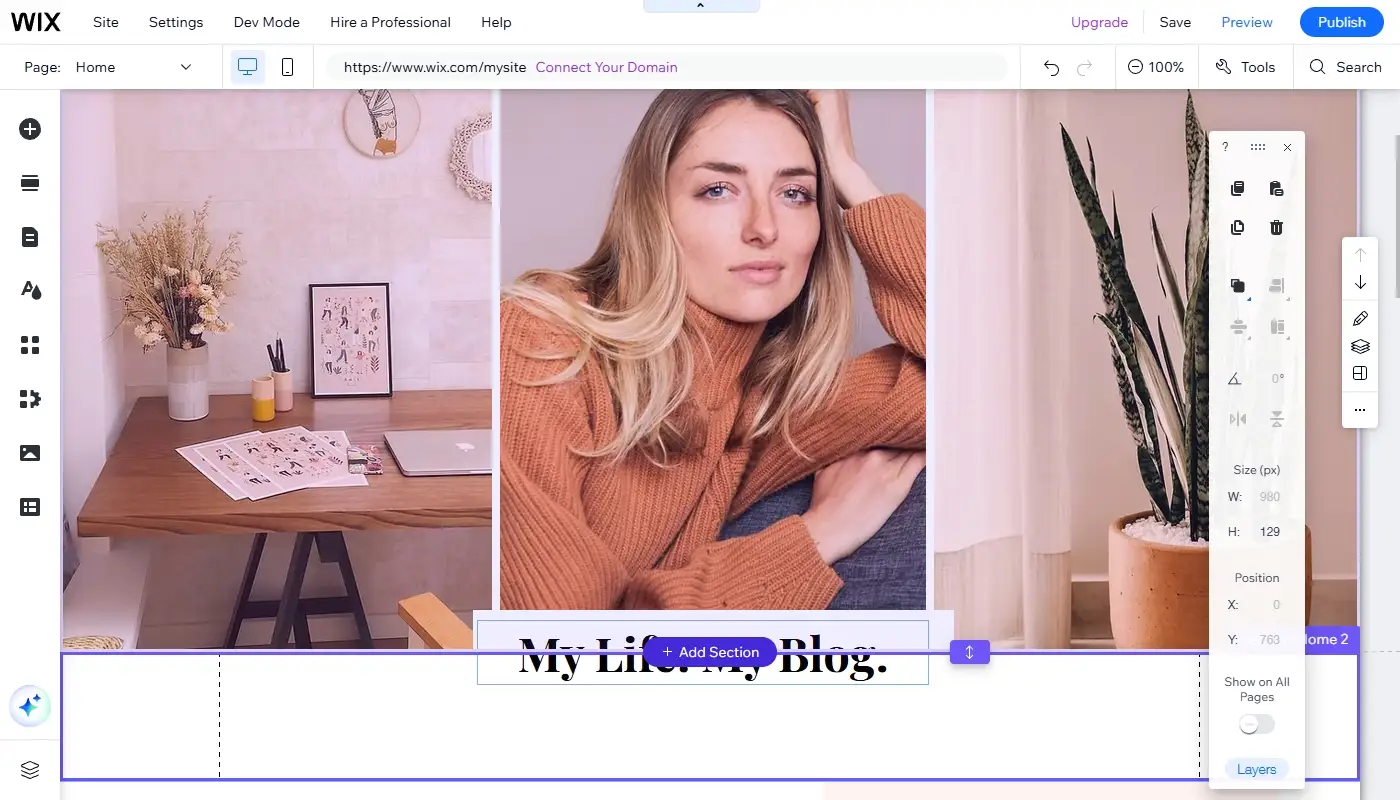
Wix also offers guided setup and AI-assisted creation, which reduce the amount of blank-canvas work. You can describe the type of website you need, generate an initial structure and then customize the result. The generated site still requires review, especially for copy, branding and mobile layout, but it can accelerate the first draft.
If your goal is to publish a simple three-page website as quickly as possible, Weebly may initially feel easier. If you expect to refine the design, add features or manage the site as an active business asset, Wix’s extra controls are usually worth learning.
3. Templates, Responsive Design and Visual Flexibility
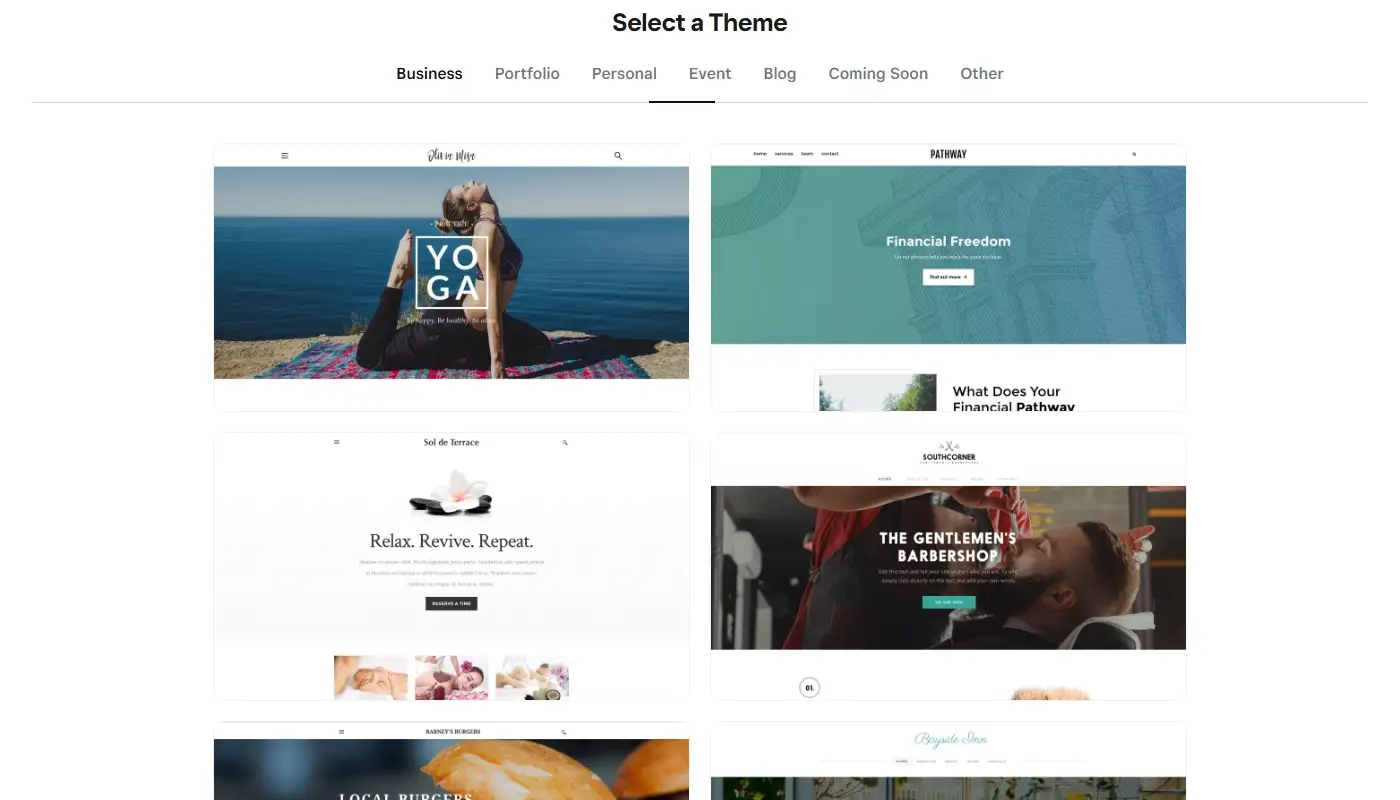
Weebly offers a modest collection of themes. They are generally clean, readable and easy to adapt with basic controls for colors, fonts and sections. For a local service business, personal portfolio or simple information site, these themes can still provide a usable starting point.
The limitations become visible when you try to move beyond conventional page structures. Asymmetric layouts, layered compositions, sophisticated typography, elaborate landing pages and carefully controlled responsive behavior are harder to implement. The result can be functional, but it may look generic or dated without custom code.
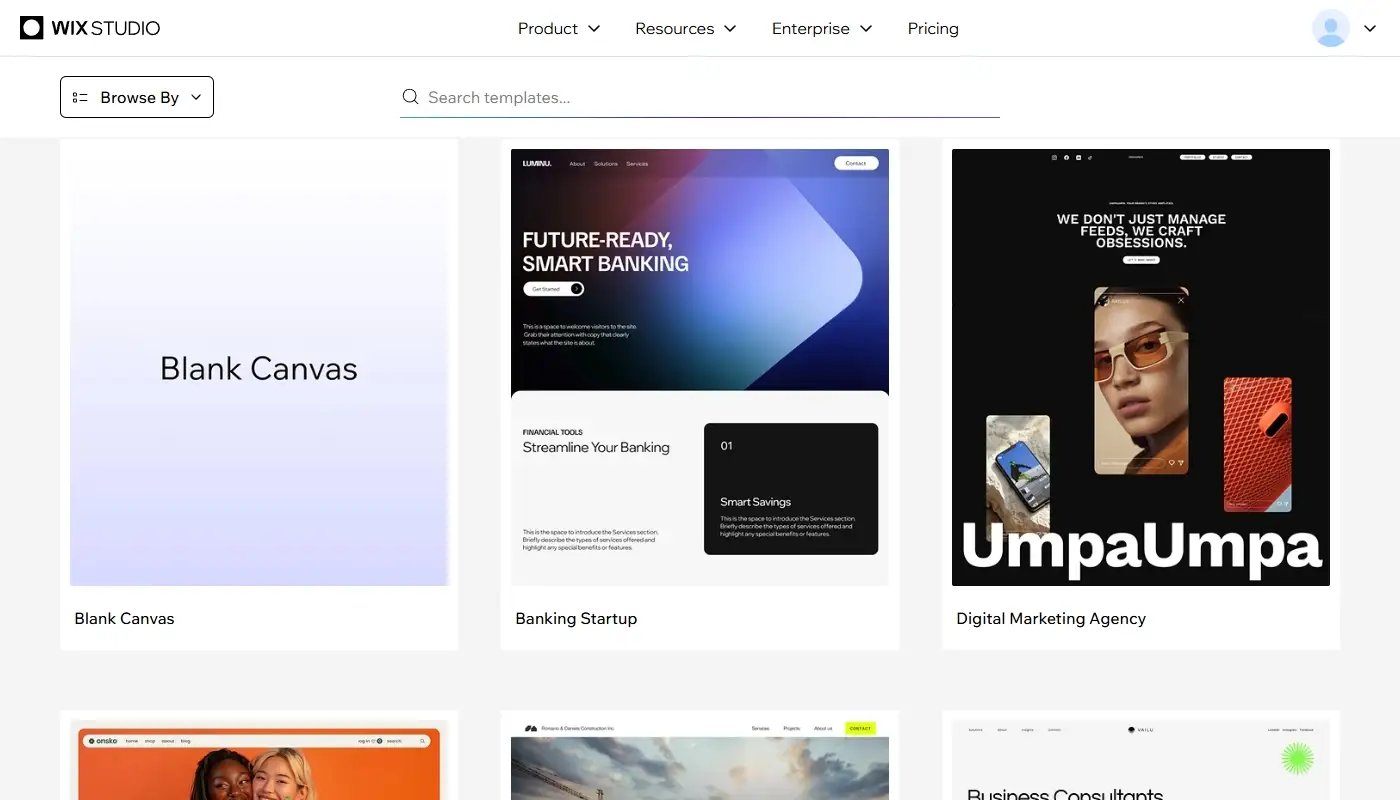
Wix provides a much larger template library across business, portfolio, restaurant, event, service and eCommerce categories. More importantly, templates are only one entry point. The editor gives you greater control over sections, grids, spacing, typography, effects and visual hierarchy.
For users who need stronger responsive design, Wix Studio is a meaningful advantage. It supports layouts that adapt across desktop, tablet and mobile breakpoints, along with controls for how elements resize, wrap and reposition. This is more work than accepting an automatic mobile layout, but it gives designers the ability to correct problems rather than simply tolerate them.
Wix’s design toolkit includes:
- More granular spacing, alignment and sizing controls
- Reusable site styles, sections and design elements
- Animations, transitions and scroll effects
- Responsive breakpoints and layout behavior in Wix Studio
- Richer typography, color and media options
If visual identity matters and you want the site to look intentionally designed rather than assembled from standard blocks, Wix is substantially more capable.
4. Apps, Integrations and Advanced Features
Modern websites rarely exist in isolation. A business may need forms, appointments, email marketing, live chat, event registration, reviews, analytics, CRM connections or automations that send information between several services.
Weebly has an App Center with widgets and integrations for common tasks. It can cover basic forms, marketing additions, social elements and small enhancements. The problem is not that no apps exist; it is that the catalog is smaller and gives you fewer alternatives when one extension does not fit your workflow.
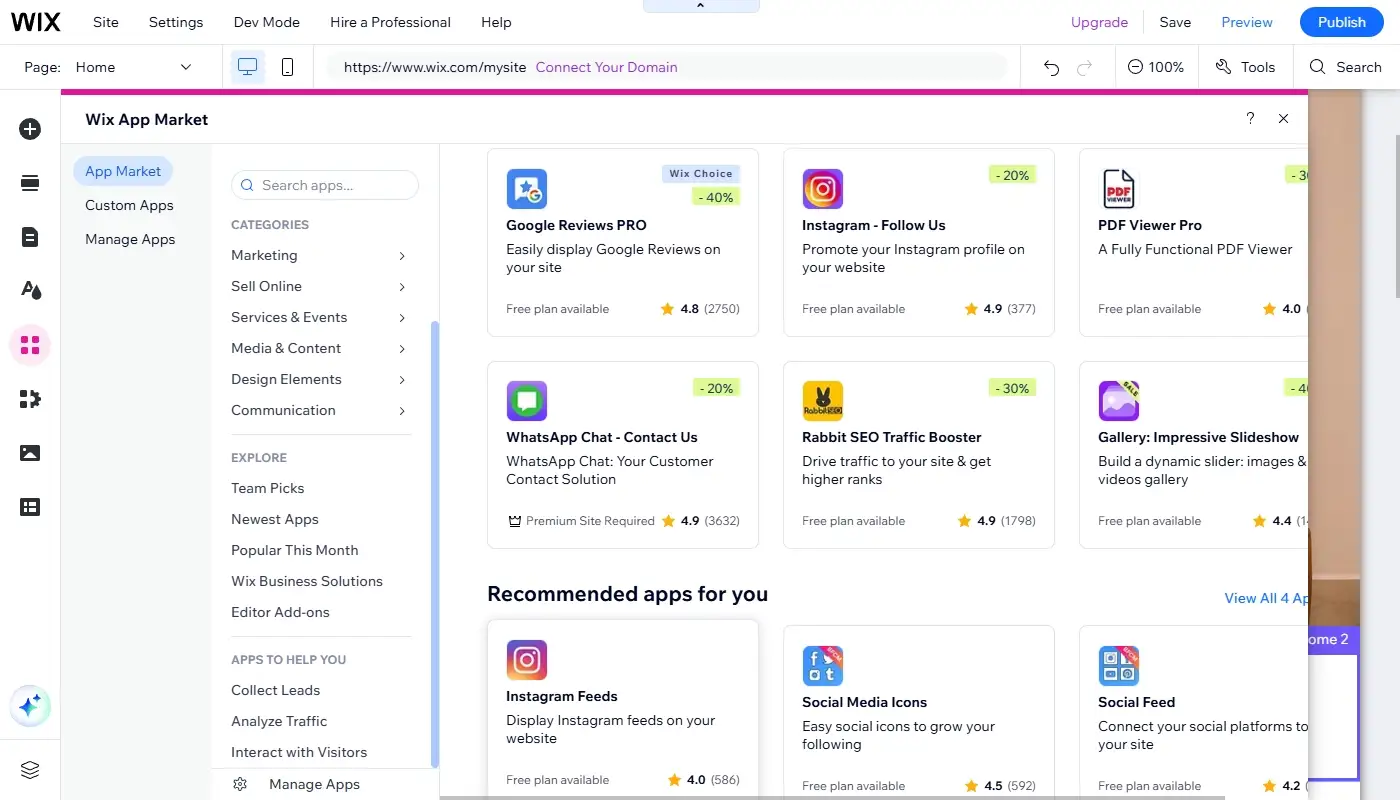
Wix’s App Market and built-in business suite are much broader. Depending on the project, you can add:
- Forms, lead capture and CRM workflows
- Booking and scheduling tools for service businesses
- Restaurant menus, reservations and online ordering
- Events, ticketing and paid registrations
- Membership areas, online programs and gated content
- Social feeds, chat tools and review widgets
- Marketing, automation and analytics integrations
Wix also includes a CMS that can store structured content in collections and display it through dynamic pages. This is useful for directories, portfolios, team profiles, property listings, project databases and other sites where many pages share the same layout. Weebly can manage ordinary pages and blog posts, but it does not offer the same visual content-modeling depth.
The larger ecosystem does not guarantee that every app will be perfect, and paid extensions can increase the total monthly cost. Still, Wix gives you a much better chance of solving a new requirement without rebuilding the entire website elsewhere.
5. AI Tools and Day-to-Day Website Management
AI has become one of the clearest differences between these platforms. In Wix, AI is no longer limited to generating a few paragraphs of text. The platform uses AI across initial site creation, page sections, business setup, image and content workflows, SEO assistance and selected marketing tasks.
This can reduce repetitive work. A small business owner may use AI to propose a page structure, draft a service description, generate a section, suggest SEO improvements or start an online store configuration. The output should still be edited for accuracy and brand voice, but the tools are integrated into the same environment where the site is managed.
Weebly’s core workflow remains more traditional. It is still based primarily on choosing a theme, dragging elements into place and configuring individual features. For someone who wants a predictable editor without many new layers, that simplicity may be welcome. For users expecting a platform to actively assist with content, design and growth tasks, it feels increasingly limited.
The important point is not that AI automatically produces a better website. It does not. The advantage is that Wix currently offers more ways to accelerate routine tasks while keeping the result editable inside a mature site-building system.
6. eCommerce, Payments and Service-Based Selling
Weebly has a long history of supporting small online stores, and its connection with Square can be useful for businesses already using Square for payments or in-person sales. Basic product listings, inventory, checkout and order management can be enough for a small catalog with a straightforward sales process.
However, a merchant should distinguish between maintaining an existing Weebly site and adopting Square’s current online commerce tools. The surrounding ecosystem is increasingly commerce-centered, while the classic Weebly experience receives less attention as a general-purpose website builder. That makes Weebly a more defensible choice for an existing simple site than for a new content-heavy or design-led business project.
Wix supports online stores, subscriptions, bookings, events, restaurants, digital products and other business models within one platform. It is generally better suited to companies that want the shopping experience to match a distinctive brand or that plan to combine commerce with content marketing, appointments, memberships or lead generation.
Neither platform should be chosen only because it can technically accept payments. Before committing, compare product limits, supported payment methods in your country, transaction fees, tax tools, shipping rules, subscription features and the apps required for your workflow. A store that looks simple today can become difficult to migrate once it contains years of orders, product data and customer accounts.
7. SEO, Performance and Growth Potential
If your website is only a digital brochure shared with existing contacts, advanced SEO may not be a priority. For most businesses, however, search visibility, indexation and the ability to improve pages over time matter.
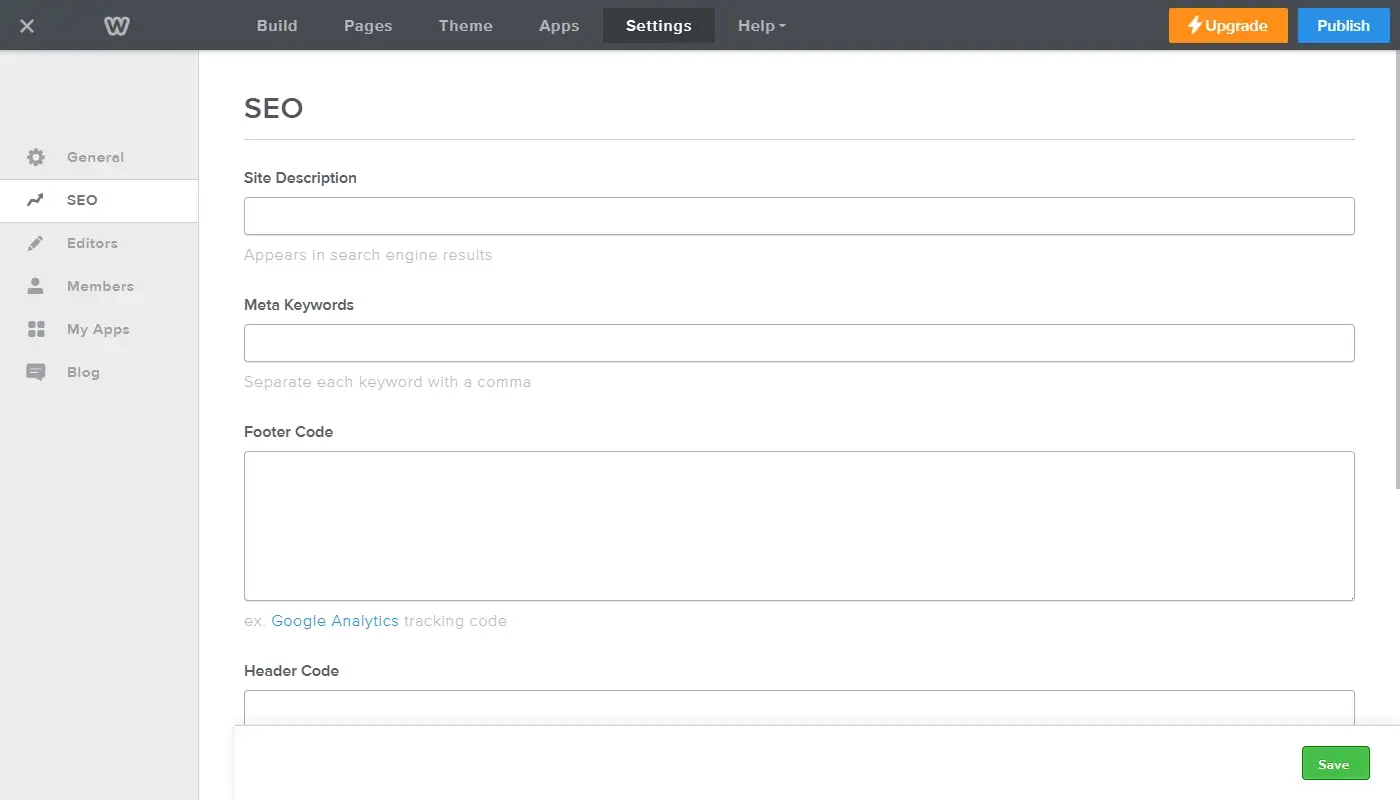
Weebly provides the essentials: page titles, meta descriptions, editable URLs, header settings and 301 redirects. These controls can be sufficient for a compact local website competing for a small set of queries. The limitations appear when you need scalable SEO patterns, advanced structured data, complex content types or more control over technical implementation.
Wix has expanded its SEO environment considerably. Depending on the site type and editor, users can work with:
- Custom page titles, descriptions and URL slugs
- SEO settings that can be applied by page type
- URL redirects and automatic updates for certain changed URLs
- Canonical tags and indexation controls
- Structured data markup and built-in markup for supported content
- SEO checklists and AI-assisted suggestions
- Integrations with analytics and advertising platforms
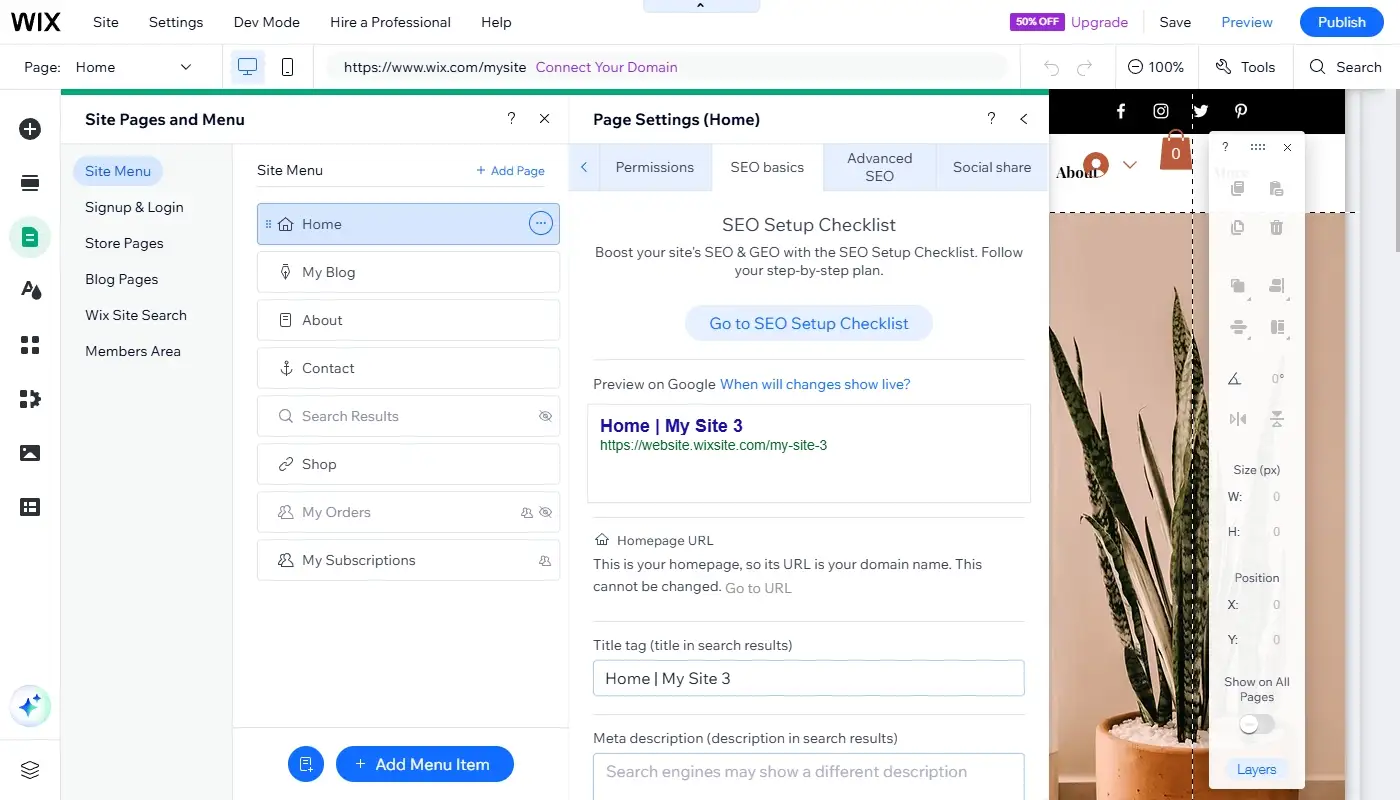
Performance on either platform still depends partly on how the site is built. Oversized images, autoplay video, too many third-party apps and visually complex pages can slow down a website regardless of the hosting provider. Wix gives you more design freedom, which also means it gives you more opportunities to create an unnecessarily heavy page.
The advantage is that Wix continues to improve the platform’s infrastructure and provides a wider set of tools for monitoring and optimizing a growing site. For a business that plans to publish regularly, build landing pages, organize structured content and compete in search, Wix is the more future-oriented choice.
8. Pricing and Value Over Time
Both Weebly and Wix use tiered subscriptions that bundle the editor, hosting and platform features. Pricing can vary by billing cycle, country and promotion, so the cheapest advertised number should not be the only factor in your decision.
Weebly still offers a free entry point and paid tiers for connecting a domain, removing some limitations and adding store or growth features. Its paid plans can look economical for a basic site. The question is whether you are saving money on features you genuinely do not need or simply postponing the cost of rebuilding the site later.
Wix plans are often more expensive once business, eCommerce, storage and collaboration requirements are included. You may also pay separately for a business email, premium apps or third-party services. In return, the core platform covers more use cases and can replace several standalone tools for some businesses.
To compare value realistically, calculate the full setup rather than the base subscription:
- The website plan and domain renewal
- Email, forms, bookings or eCommerce features
- Paid apps and transaction-related costs
- The time required to work around platform limitations
- The likely cost of a future migration or redesign
For a low-priority personal site, Weebly’s lower-cost approach may remain reasonable. For a website connected to lead generation, appointments, content marketing or sales, Wix usually offers stronger long-term value because it can support more stages of growth.
9. Ownership, Export and the Risk of a Future Migration
Platform lock-in matters with both builders. You can transfer a domain, save media and manually copy content, but you cannot export a complete Wix or Weebly project and import the same design into another platform with every feature intact.
Weebly allows users to create a downloadable archive of static site content, but the archive is not a complete migration package. Blog and store pages depend on the platform’s database and are not included in the same way as ordinary static pages. The archive also cannot simply be re-imported into Weebly to restore the website.
Wix is proprietary as well. Moving away normally means recreating the visual design and migrating content, products, contacts and URLs through a combination of exports, imports and manual work. Its broader ecosystem reduces the likelihood that a growing business will immediately outgrow the platform, but it does not eliminate lock-in.
Whichever builder you choose, keep independent copies of important text, original images, product data, customer records and your URL structure. Use a domain you control, document third-party integrations and maintain a redirect plan. These habits make any future move less disruptive.
10. Weebly vs Wix: Key Differences at a Glance
Here is the updated side-by-side comparison:
| Aspect | Weebly | Wix |
| Overall positioning | Simple legacy-style builder closely connected to Square | Broader website and business platform with active development |
| Learning curve | Very low and highly beginner-friendly | Beginner-friendly, with more advanced options available |
| Templates and design | Small theme collection and basic customization | Large template library with stronger visual and layout control |
| Responsive design | Mostly theme-driven with limited fine control | Advanced responsive controls and breakpoints in Wix Studio |
| AI tools | Limited role in the traditional editing workflow | AI-assisted site creation, sections, content, SEO and business setup |
| Apps and integrations | Smaller App Center covering common essentials | Extensive App Market and broader built-in business tools |
| CMS and dynamic content | Suitable for standard pages and basic blogging | Content collections and dynamic pages for structured sites |
| SEO capabilities | Basic meta, URL and redirect controls | More comprehensive SEO settings, structured data and guidance |
| eCommerce | Works for small stores and Square-centered selling | More flexible for branded stores and mixed business models |
| Growth potential | Best when requirements are likely to remain simple | Better for evolving websites and businesses with growth plans |
| Export and portability | Static archive available, but blog and store content are limited | Also proprietary; complete site migration requires rebuilding |
| Best for | Existing simple sites, personal pages and low-complexity projects | Serious small businesses, creators, stores, agencies and growing brands |
The table does not mean that Weebly has become unusable. It means the two services no longer offer comparable levels of flexibility or product momentum. Weebly can still solve a narrow problem well; Wix can accommodate a much wider range of website plans.
11. How to Decide Which Builder Is Right for You
Instead of asking which platform is universally better, ask which one is more likely to support the website you will need two or three years from now.
Weebly may still be enough if:
- You already have a functioning Weebly site and do not need a redesign.
- You need a small website with only a few standard pages.
- You do not plan to depend heavily on SEO, blogging or content marketing.
- Your design can remain simple and your feature requirements are stable.
- You use Square and need only a straightforward commerce setup.
- You value the simplest possible editing experience more than flexibility.
Wix is usually the stronger choice if:
- You are launching a new business website rather than maintaining a legacy project.
- You care about design quality and want a modern, recognizable visual identity.
- You plan to publish content, build landing pages or invest in SEO.
- You need bookings, memberships, events, eCommerce or structured content.
- You want AI-assisted tools to speed up setup and routine management.
- You need a larger app ecosystem and more room to expand.
- You would rather invest in a platform that can evolve with the business than migrate again soon.
A useful mental model is this: Weebly is still capable of solving “I need a simple website with minimal setup.” Wix is better positioned to solve “I need a website that supports my brand, operations, marketing and future growth.”
12. Final Verdict
For most new projects, Wix is the better choice. It offers stronger design control, a larger app ecosystem, more advanced SEO tools, integrated AI features, structured content management and more options for selling services or products. The editor can take longer to master, but the additional effort buys significantly more flexibility.
Weebly remains viable for a narrow group of users: people maintaining an existing simple site, launching a low-stakes personal page or operating a basic Square-connected store. Its simplicity is real, but so are the limitations around design, advanced functionality and long-term expansion.
If you are starting from scratch and expect the website to play an important role in your business, choosing Weebly today may create an avoidable migration project later. If you already use Weebly and the site is still meeting its goals, there is no need to move only for the sake of moving. Review the platform’s limits, back up your content and plan the migration when the current site begins to restrict design, marketing, SEO or sales.
Need guidance for a quick move? Get in touch to make it a success!
Read also: Best Weebly Alternatives — Top Platforms for Moving Your Website