If you’ve been researching modern website builders, Wix appears almost everywhere. It is used by freelancers, restaurants, coaches, agencies, local businesses, online stores, SaaS companies and creative professionals. The platform promises visual site creation, a large template library, AI-assisted workflows and an expanding set of business tools without requiring users to manage servers or build every page from code.
But Wix has changed significantly. It is no longer just the classic freeform editor many people remember. The current ecosystem includes the traditional Wix Editor, the newer AI-driven Wix Harmony experience and Wix Studio for designers, agencies and teams that need more control over responsive layouts. It also combines website creation with eCommerce, bookings, events, memberships, marketing, CMS features and developer tools.
That breadth makes Wix more capable, but it also makes a simple “Is Wix good?” question harder to answer. The real issue is whether its mix of convenience, design freedom, business features and platform lock-in fits the way you plan to build and operate your website.
This updated Wix review takes a practical look at how the platform works in 2026, what it genuinely does well, where the trade-offs remain and which projects are most likely to benefit from building or migrating to it.
What Wix Is and How It Works
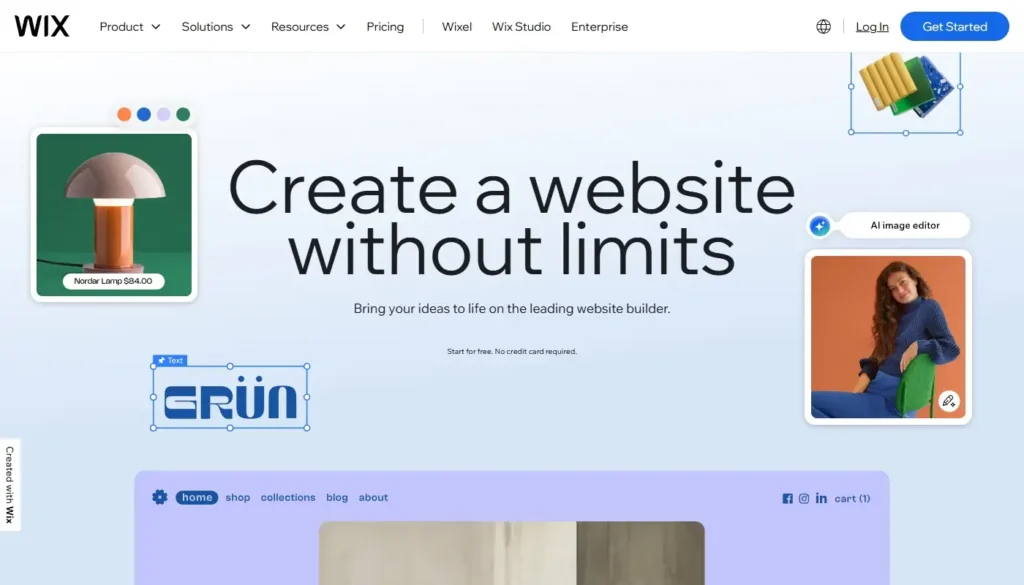
Wix is a hosted website platform. Instead of buying hosting, installing a CMS and maintaining a separate technical stack, you create an account and manage the project inside Wix.
- You select a template, generate a starting point with AI or begin with a blank canvas.
- You create and edit pages in a browser-based visual environment.
- You add business modules such as a blog, store, bookings, events or memberships.
- Wix manages hosting, platform updates, SSL certificates and the core infrastructure.
This removes a large amount of technical maintenance. You do not need to patch the CMS core, compare hosting control panels or manually configure basic security services. For a small business without an in-house developer, that can be one of the platform’s most valuable advantages.
At the same time, Wix is a closed proprietary system. The editor, hosting and many business tools are closely connected. That integration makes setup easier, but it also means your website is tied to Wix’s infrastructure, subscription model and product roadmap. You can export certain types of data, but you cannot download the entire site and move the same design and functionality to another host.
Wix is therefore best understood not simply as a page builder, but as an all-in-one website operating environment. Whether that is an advantage or a limitation depends on how much you value convenience compared with portability and low-level control.
The Editing Experience: Wix Editor, Harmony and Wix Studio
One of the biggest changes in the Wix ecosystem is that there is no longer a single editing experience for every type of user. The platform now serves beginners, business owners, designers and agencies through different workflows.
Classic Wix Editor

The traditional Wix Editor remains highly visual and relatively freeform. You can drag elements around the canvas, change spacing and alignment, layer content and see a close representation of the finished page while you work.
This freedom is useful when you want to reproduce a specific layout without writing CSS. It also creates a common Wix problem: inexperienced users can place too many elements independently, use inconsistent spacing and create pages that look fine on one screen but require extra attention on mobile.
The editor is not difficult in the usual technical sense, but it rewards design discipline. Using consistent margins, a limited typography system and reusable sections produces much better results than treating every element as an isolated object.
Wix Harmony and AI-Assisted Building
Wix Harmony, introduced as the company’s new flagship AI website builder, combines conversational generation with visual editing. Its AI agent, Aria, can help produce and refine a site from natural-language instructions. Instead of choosing every initial section manually, you can describe the business, goals and desired style, then use the generated result as a starting point.
The important difference between this approach and a basic text generator is that the AI works within Wix’s production environment. It can help generate a site structure, visual sections and content that remain editable in the builder. The result is not automatically ready to publish: business claims, calls to action, mobile behavior, brand consistency and legal text still need human review.
For a first draft, however, AI can remove much of the blank-page problem. It is particularly useful for owners who know what their business does but struggle to translate that knowledge into a page hierarchy and visual concept.
Wix Studio for Professional and Responsive Projects
Wix Studio is aimed at agencies, designers, developers and teams creating client websites. It provides responsive layout controls, custom breakpoints, grids, stacks, flexbox behavior, no-code interactions and additional collaboration features.
Unlike the simpler editor workflow, Studio gives you more direct control over how elements resize and reposition across desktop, tablet and mobile ranges. Designers can customize layouts per breakpoint, use responsive behavior settings and scan pages for potential responsive issues.
This makes Wix Studio much closer to a professional visual development environment than the older perception of Wix as a basic DIY builder. The trade-off is a steeper learning curve. A beginner who only needs a five-page service site may find Studio unnecessarily complex, while a designer building multiple client projects may consider its additional control essential.
Templates and Design Flexibility
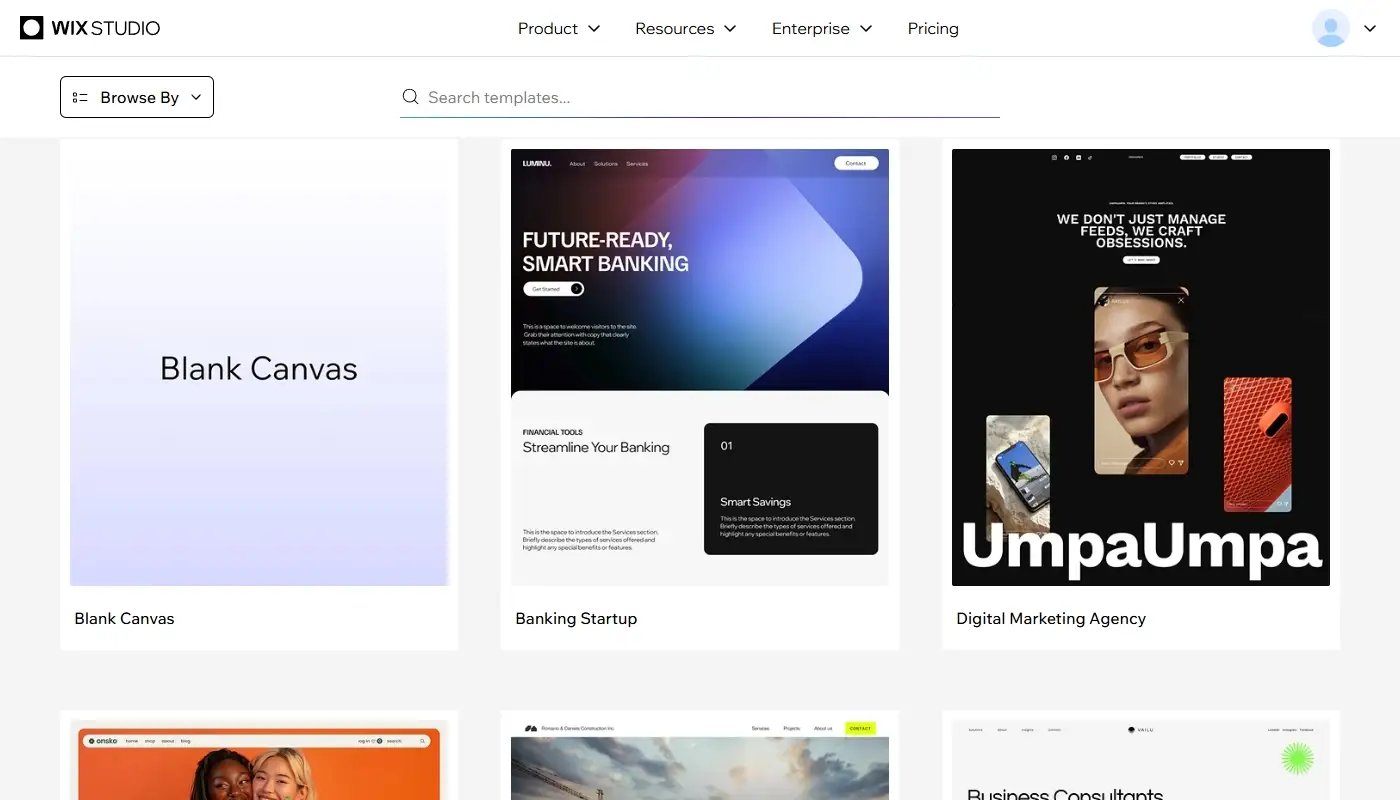
Wix offers a large template collection covering agencies, restaurants, photographers, consultants, coaches, local services, blogs, portfolios, events and online stores. Templates usually include a homepage, essential inner pages and pre-designed sections that can be reused or replaced.
The strongest reason to start with a template is not that it gives you a finished website. It gives you a coherent design system. Fonts, colors, image proportions, section spacing and page hierarchy already work together, which is valuable for users without formal design experience.
You can then replace the copy and media, change global styles, add or remove sections and build new pages. Wix provides substantially more room for visual customization than rigid section-only platforms, but the original template should still be treated as a framework rather than a random collection of blocks.
Compared to Weebly and other older entry-level builders, Wix provides a more current template ecosystem and a much higher design ceiling. It is easier to create a site that feels tailored to a particular brand rather than one that simply fills a standard layout.
There is one practical limitation: switching to an entirely different template after a site has been heavily customized is not the same as changing a WordPress theme. A major visual change may require rebuilding sections or creating a new site. Choosing the right starting structure therefore still matters.
AI Tools: Useful Assistant, Not an Automatic Strategy
AI now appears throughout Wix rather than in one isolated generator. Depending on the editor and feature, it can help with initial site creation, section generation, copy suggestions, images, product descriptions, email campaigns and SEO-related tasks.
These tools are most effective when used to accelerate repetitive work. They can create a first version of a services section, propose alternative headlines or help organize information. They are less reliable when a page requires precise industry knowledge, original positioning, compliance-sensitive claims or a distinctive editorial voice.
A professionally useful workflow is to let AI establish a draft, then review every section against real customer questions and business objectives. Generic AI copy can make a visually polished website sound interchangeable with dozens of competitors. Wix provides the tools, but the owner still needs to supply the strategy, evidence and differentiation.
Apps, Integrations and Built-In Business Tools
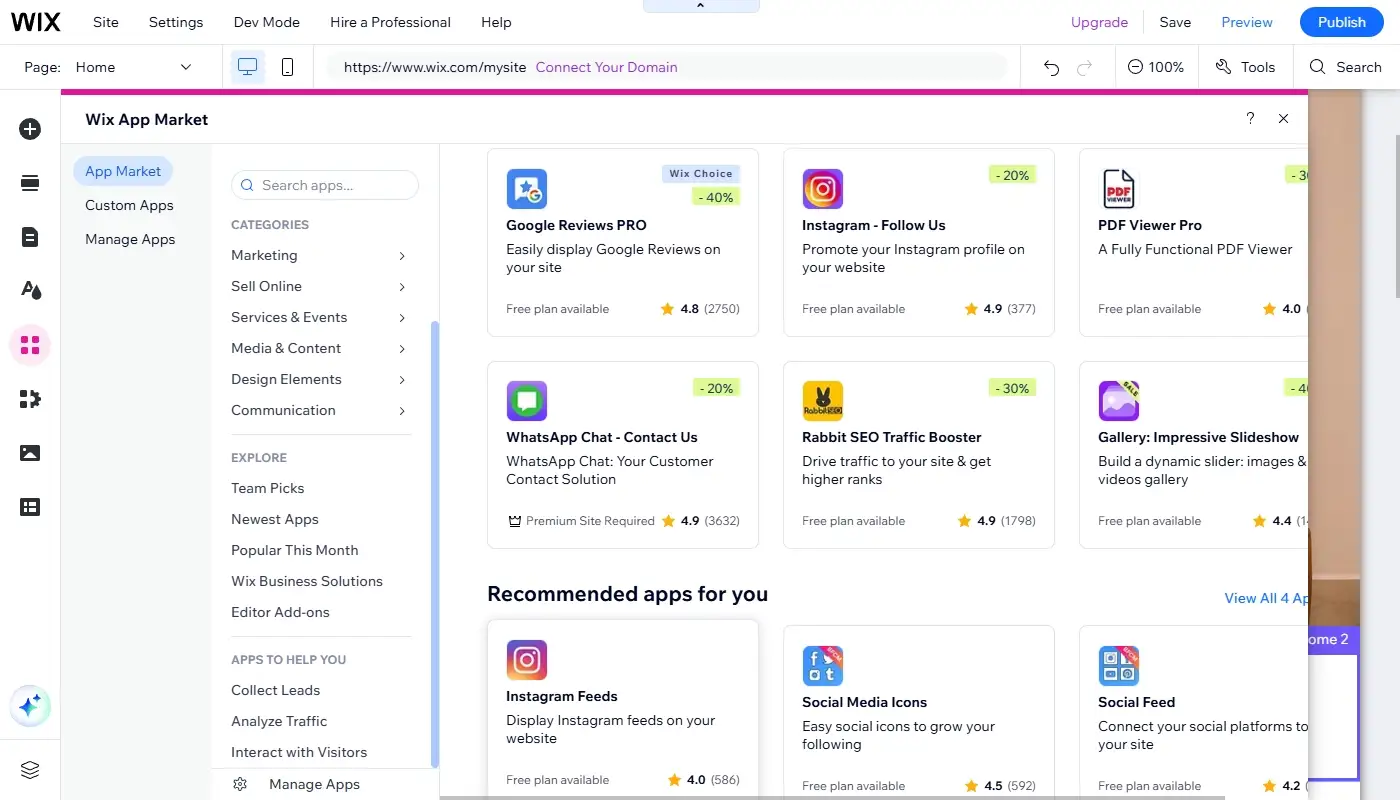
Modern business websites are rarely just collections of pages. They need forms, lead management, appointments, payments, analytics, email workflows, reviews and connections to outside services. Wix addresses this through native business modules and the Wix App Market.
Depending on the project, you can add:
- Contact forms, lead capture and CRM workflows.
- Bookings for appointments, classes and services.
- Events, ticketing and registrations.
- Online programs, memberships and pricing plans.
- Restaurants, menus, reservations and ordering.
- Email marketing, automations, analytics and advertising integrations.
The main advantage is operational consistency. A booking form can feed the same contact database used by email campaigns and customer management. A store, blog and service website can share one domain and design system. For a small team, reducing the number of separate dashboards can be more valuable than having the most specialized tool in every category.
The limitation is that Wix does not contain every integration available on the open web. Some advanced workflows require third-party apps, automation services or custom development, and premium apps can increase the real monthly cost. Before choosing a plan, list the exact functions you need and verify whether they are native, paid extras or unavailable.
CMS, Dynamic Pages and Velo Development
Wix is often described as a small-business page builder, but its CMS allows more structured projects. Content can be stored in collections and displayed through dynamic pages, so one layout can generate multiple profiles, projects, locations, properties, courses or directory entries.
This is useful when a site contains many pages with the same information structure. Instead of manually designing every portfolio item or location page, you create a template and connect its elements to collection fields. Editors can then update the underlying data without rebuilding the design.
For custom functionality, Wix also provides Velo, its development platform for adding JavaScript, data logic, backend functions and APIs. Velo does not turn Wix into an unrestricted custom stack, but it expands what can be built beyond standard apps and no-code settings.
This combination gives Wix a useful middle position. Non-technical users can ignore the developer layer, while teams with technical support can create custom workflows without immediately moving the whole project to a separate framework.
Blogging and Content Management
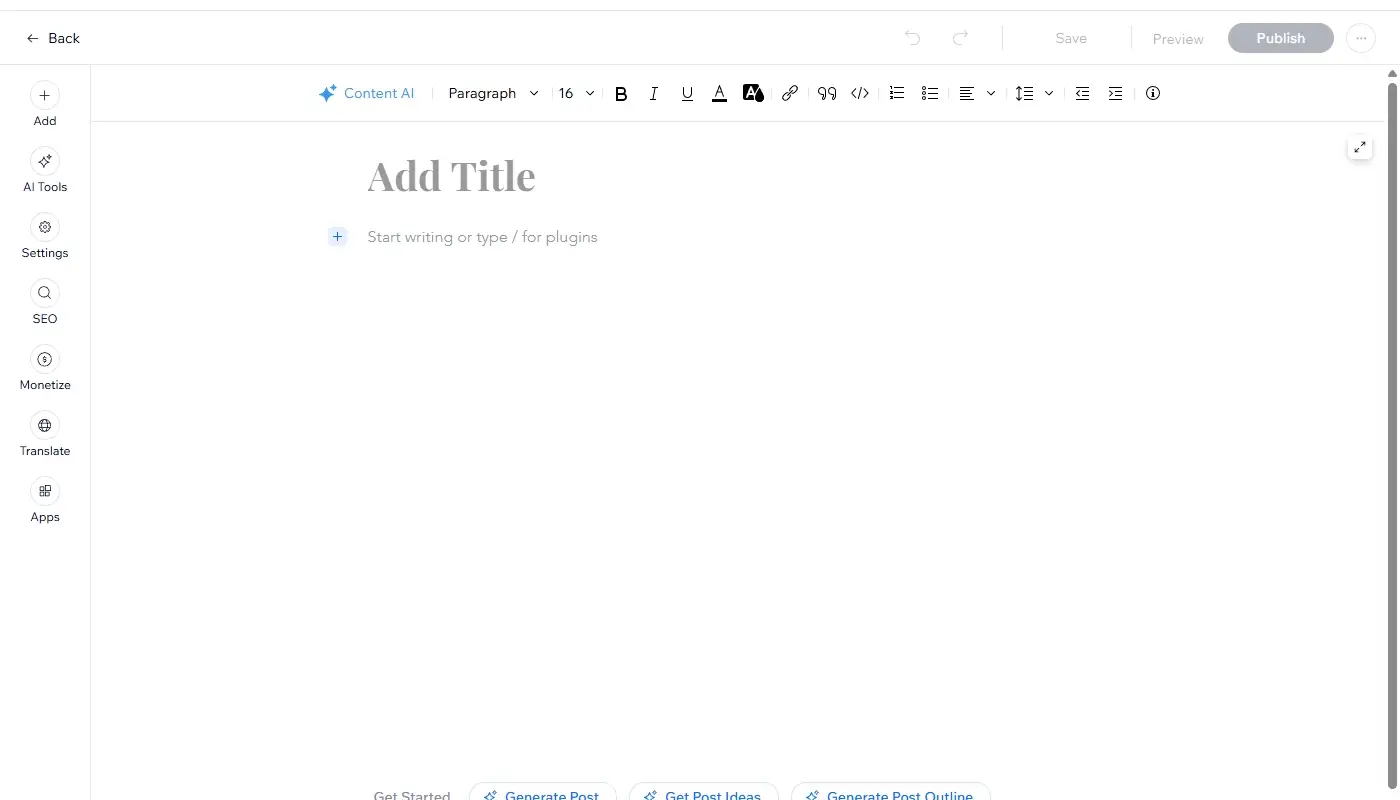
Wix includes a dedicated blogging system with posts, categories, tags, authors, scheduling and media-rich content. Blog layouts can be integrated into the rest of the site rather than running as a visually separate product.
For a local business, consultant, creative professional or brand publishing a manageable content library, the system is usually sufficient. Posts can support organic search, newsletters and social campaigns while remaining easy for a non-technical editor to update.
Wix is less ideal for publications with extremely complex editorial workflows, extensive custom taxonomies or very large archives requiring specialized database and plugin control. Self-hosted WordPress remains more flexible for those scenarios.
The practical question is not whether Wix can publish a blog—it can—but how sophisticated your content operation is expected to become. A service business publishing several useful articles per month is very different from a media company managing thousands of posts, multiple content types and advanced editorial permissions.
eCommerce: Turning Wix into an Online Store
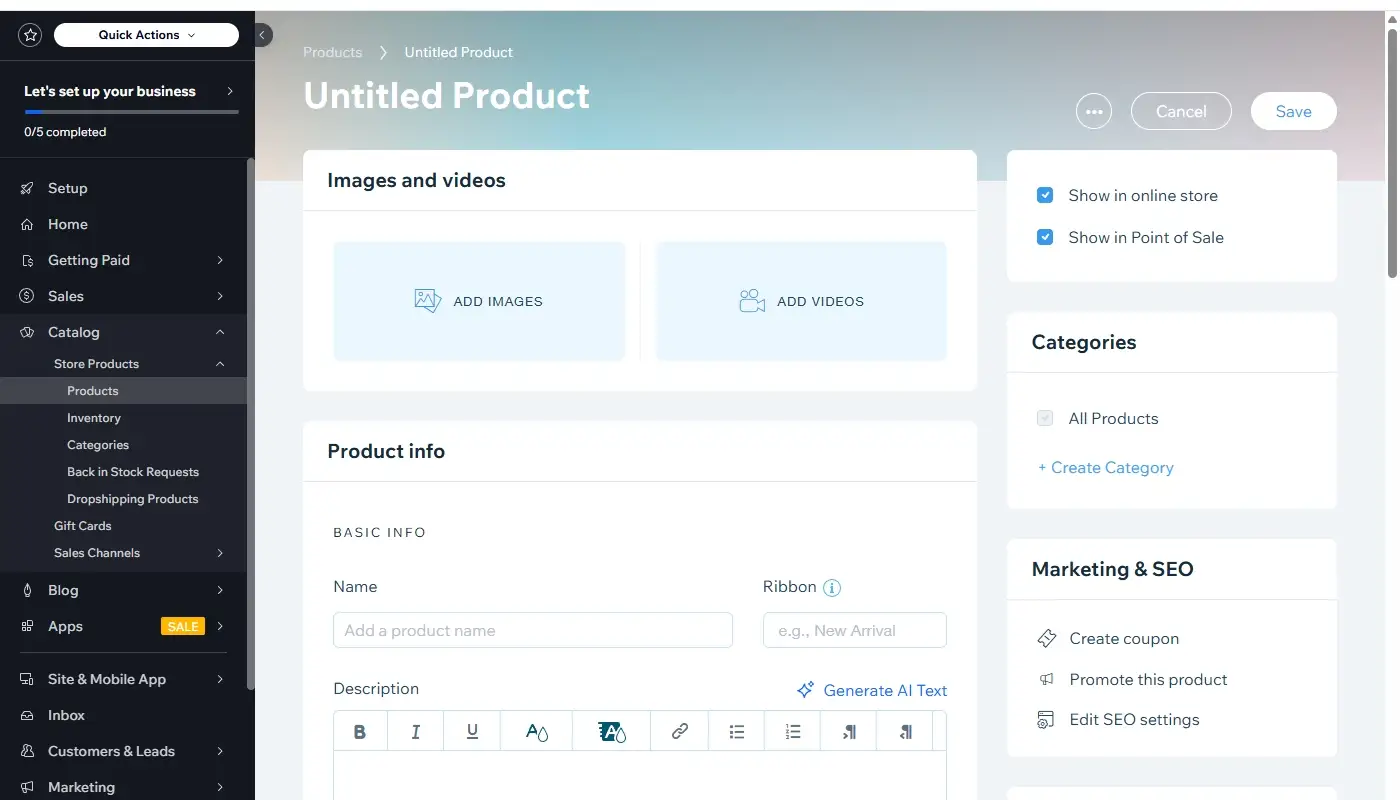
Wix supports online payments and eCommerce on eligible business plans. Store owners can create product catalogs, manage variants, configure checkout, track inventory, set shipping and tax rules and run discounts or promotional campaigns.
The platform is particularly strong when commerce is one part of a broader website. A consultant may sell digital resources alongside bookings. A studio may combine a portfolio, blog and small shop. A restaurant may manage content, reservations and ordering in one system.
- Physical and digital product catalogs.
- Product options, variants and inventory tracking.
- Coupons, discounts and abandoned-cart features on supported plans.
- Multichannel and marketplace connections in supported configurations.
- Integration with the wider Wix marketing and customer-management environment.
For a large retailer with complex fulfillment, extensive international requirements or a highly specialized commerce stack, Shopify or an enterprise platform may provide a deeper ecosystem. Wix is better positioned for small and mid-sized stores that value design and want commerce integrated with other business functions.
Payment methods, taxes, shipping carriers and feature availability vary by country and plan. These details should be checked before committing, especially if the store depends on a particular gateway, subscription model or fulfillment workflow.
SEO, Performance and Growth Potential
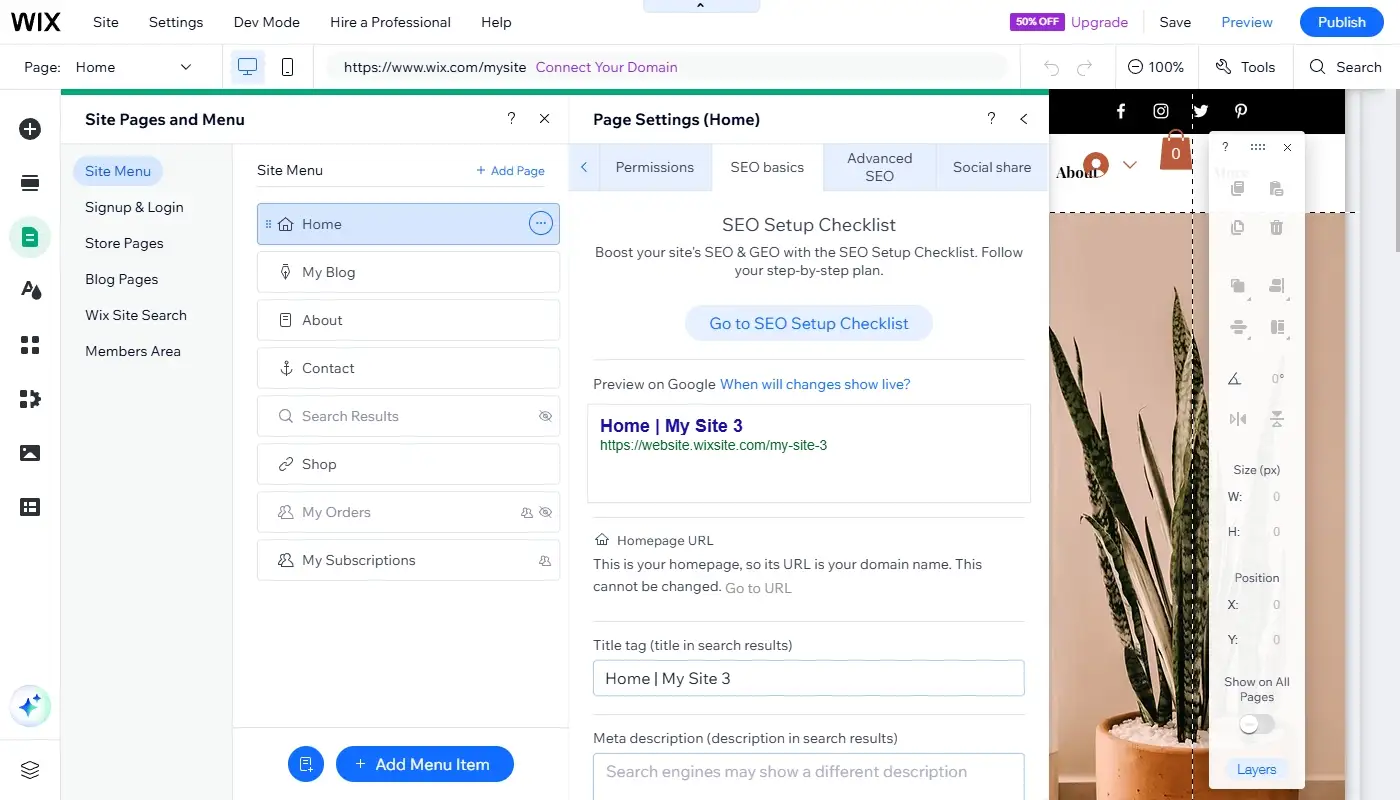
Wix’s old reputation for weak SEO is no longer an accurate description of the current platform. It now offers controls for title tags, meta descriptions, URL slugs, canonical tags, robots directives, redirects, indexability and structured data.
SEO settings can be edited individually or by page type, which is useful for products, blog posts and dynamic pages. Wix also creates and updates technical elements such as sitemaps and provides guided checklists for basic optimization.
- Editable metadata and URL structures.
- 301 redirect management for migrations and changed URLs.
- Canonical, robots and indexation controls.
- Built-in and custom structured data markup.
- SEO patterns for groups of similar pages.
- Connections to analytics and search reporting tools.
These features are enough to support serious small-business SEO. They do not replace keyword research, useful content, internal linking, backlinks or technical judgment, but the platform itself is no longer the automatic obstacle it was sometimes assumed to be.
Performance still depends on implementation. Large uncompressed media, too many third-party apps, autoplay video and heavily layered pages can hurt loading speed. Wix provides the hosting foundation and optimization systems, but the site owner or designer must still build responsibly.
In terms of growth potential, Wix occupies a strong middle ground: less open than a custom stack or self-hosted WordPress, but considerably more capable than older rigid builders like Weebly. Many businesses can stay on Wix for years without reaching a hard technical limit, provided their requirements remain within the platform’s ecosystem.
Accessibility, Security and Maintenance
Because Wix is hosted, platform-level security updates, SSL and infrastructure maintenance are handled centrally. This reduces the risk created by neglected plugins or an outdated CMS installation. It does not remove every security responsibility: account access, staff permissions, third-party apps and customer-data practices still require attention.
Wix also provides accessibility-related tools and settings, but no builder can make a site accessible automatically. Color contrast, heading order, alternative text, keyboard navigation, form labels and meaningful link text still need to be reviewed by the person creating the site.
The hosted model is especially attractive for organizations that do not have someone available to maintain a software stack. The trade-off is reduced control over server configuration and update timing compared with a self-managed platform.
Pricing and Overall Value in 2026
Wix has a free tier for testing the editor and publishing on a Wix-branded subdomain. A paid plan is required to connect a custom domain, remove Wix branding and access higher storage or business capabilities.
In the United States, Wix commonly lists its main website plans as Light, Core, Business and Business Elite. Published annual-billing prices can change and differ by market, promotion and tax treatment, so they should be checked directly before purchase. The important distinction is functional: Light is aimed at standard websites, while Core and higher tiers add payment and business capabilities.
| Plan Type | Typical Use | Key Consideration |
| Free | Testing the builder and creating drafts | Uses Wix branding and a Wix subdomain |
| Light | Portfolio, brochure or service website | Designed for a professional site without full commerce |
| Core | Small business accepting online payments | Adds basic eCommerce and business functionality |
| Business | Growing store or service business | Provides expanded commerce, marketing and collaboration tools |
| Business Elite | Larger operation or team with advanced needs | Higher limits and advanced business or developer capabilities |
The subscription is not always the full project cost. A custom mailbox, premium apps, specialist integrations, payment processing and professional design work may be separate. On the other hand, native Wix tools may replace several standalone subscriptions, so value should be evaluated as a complete operating stack rather than a single monthly number.
For a website that generates leads, appointments or sales, paying more for the right workflow can be cheaper than using a low-cost builder that requires manual workarounds or an early migration.
Migration, Ownership and Platform Lock-In
The most important structural limitation is portability. Wix hosts the site and controls the builder, so you cannot export the complete visual project and deploy it unchanged on another provider. Moving away usually means exporting available content and data, rebuilding the design and recreating integrations on the destination platform.
This does not mean you have no ownership. You can control your domain, original text, media and business data, and many modules provide export options. But the assembled Wix site is not a portable package in the way a static codebase or self-hosted CMS installation can be.
To reduce risk, keep original copies of images and copy, document important integrations, export contacts and store data periodically and maintain a clear list of URLs. These habits make a future redesign or migration much easier.
Wix Pros and Cons at a Glance
| Advantages | Trade-Offs |
| Multiple building workflows for beginners, businesses and agencies | More options mean a higher learning curve than the simplest builders |
| Strong visual control and a large template ecosystem | Design freedom can produce inconsistent layouts without discipline |
| AI-assisted site creation and content workflows | AI output still requires factual and editorial review |
| Integrated stores, bookings, events, CRM and marketing tools | Some apps and advanced functions add recurring costs |
| Useful CMS, dynamic pages and optional Velo development | Not as open as a self-hosted CMS or custom stack |
| Comprehensive SEO controls for most business sites | Performance still depends on responsible design and media use |
| Hosting, updates and basic infrastructure handled by Wix | Complete site portability is limited |
Who Wix Is Best For
Wix is a strong fit for:
- Small and mid-sized businesses that want a professional website without maintaining hosting infrastructure.
- Service providers that need forms, bookings, payments and customer management.
- Creators, consultants and agencies that care about visual presentation.
- Small and medium stores combining commerce with content and branding.
- Design teams that can benefit from Wix Studio’s responsive and collaborative workflow.
- Businesses that prefer an integrated suite to assembling many independent tools.
It is less suitable when the project requires unrestricted server access, a highly specialized enterprise architecture, complete code portability or an extremely complex publishing or commerce stack.
Final Verdict: Is Wix Worth Using?
Wix is no longer accurately described as a simple beginner builder. In 2026, it is a broad hosted platform that can serve a solo business owner, a growing online store or an agency building responsive client sites. Wix Harmony strengthens the AI-assisted workflow, while Wix Studio and Velo extend the platform beyond basic no-code page creation.
Its strongest advantage is balance. Wix gives non-technical users a manageable path to launch while preserving enough design, CMS, SEO and business depth for many sites to grow without an immediate rebuild. It is particularly effective when a website needs to combine content, lead generation, appointments, commerce and marketing in one environment.
The main compromise is ecosystem dependence. You gain convenience, managed infrastructure and tightly integrated tools, but the complete site cannot be moved elsewhere intact. Costs can also rise as you add premium apps, business features and collaborators.
For a professional small-business website, branded service platform, portfolio, booking site or moderate online store, Wix is one of the strongest all-in-one options available. For a tiny static page, it may offer more than you need. For a highly specialized enterprise platform, self-hosted or custom development may provide greater control.
The best way to evaluate Wix is to test the editor with real content, not sample text. Build one important page, review it on several screen sizes, add the business function you depend on most and calculate the complete annual cost. That practical test will reveal more than any feature checklist.
Read also: Best Weebly Alternatives