For years, Weebly was one of the default recommendations for anyone who wanted to build a website without learning code. Its formula was easy to understand: choose a theme, drag content onto the page, connect a domain and let the platform handle hosting.
That basic promise still exists in 2026. Weebly remains available, offers free and paid plans and can still publish a functional website or small online store. The more important question is no longer whether the platform works, but whether it remains a sensible place to start or expand a serious web project.
The website-builder market has moved toward AI-assisted setup, richer responsive design, larger integration ecosystems, structured content and more sophisticated business automation. Weebly’s classic editor has changed much less dramatically. At the same time, its relationship with Square has made the product picture more complicated: existing Weebly sites can still be managed, while Square directs users who want its newest commerce and website features toward Square Online.
This updated Weebly review examines what the platform can realistically do today, where its simplicity remains useful, which limitations matter most and when maintaining an existing site makes more sense than starting a migration.
What Weebly Actually Is in 2026
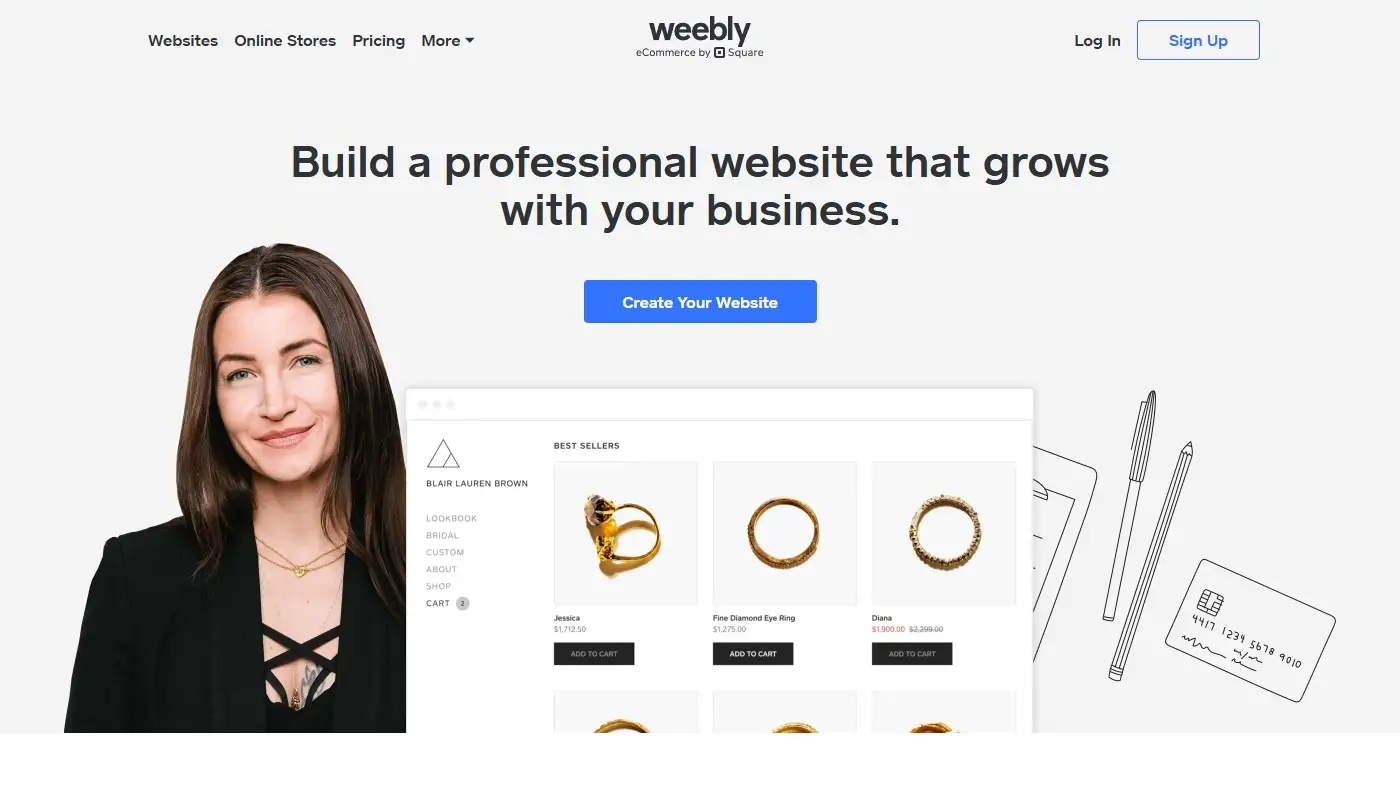
Weebly is a hosted, proprietary website builder. The essential workflow is still straightforward:
- Create an account and select a site.
- Choose a theme or an existing starting layout.
- Build pages in a browser-based visual editor.
- Publish on a free subdomain or upgrade to connect a custom domain.
- Let the platform manage hosting and core infrastructure.
You do not install a CMS, maintain a server or update plugins. For users who have no interest in technical administration, this remains a real advantage.
The trade-off is platform dependence. A Weebly site is assembled inside Weebly’s own editor and hosting environment. You can keep copies of your text, images and some exported files, but the finished project is not a portable package that can be moved intact to an unrelated host.
It is also important to distinguish classic Weebly from Square Online. Square acquired Weebly and now operates the surrounding commerce ecosystem. The classic Weebly editor remains accessible for existing websites, while Square Online is the actively promoted option for businesses focused on current Square website and selling features. The two experiences are related, but they are not simply interchangeable versions of the same editor.
Weebly is therefore best viewed as a mature, easy-to-use builder that can still maintain and launch straightforward sites, but no longer represents the leading edge of no-code website creation.
The Weebly Editor: Simple, Familiar and Increasingly Restrictive
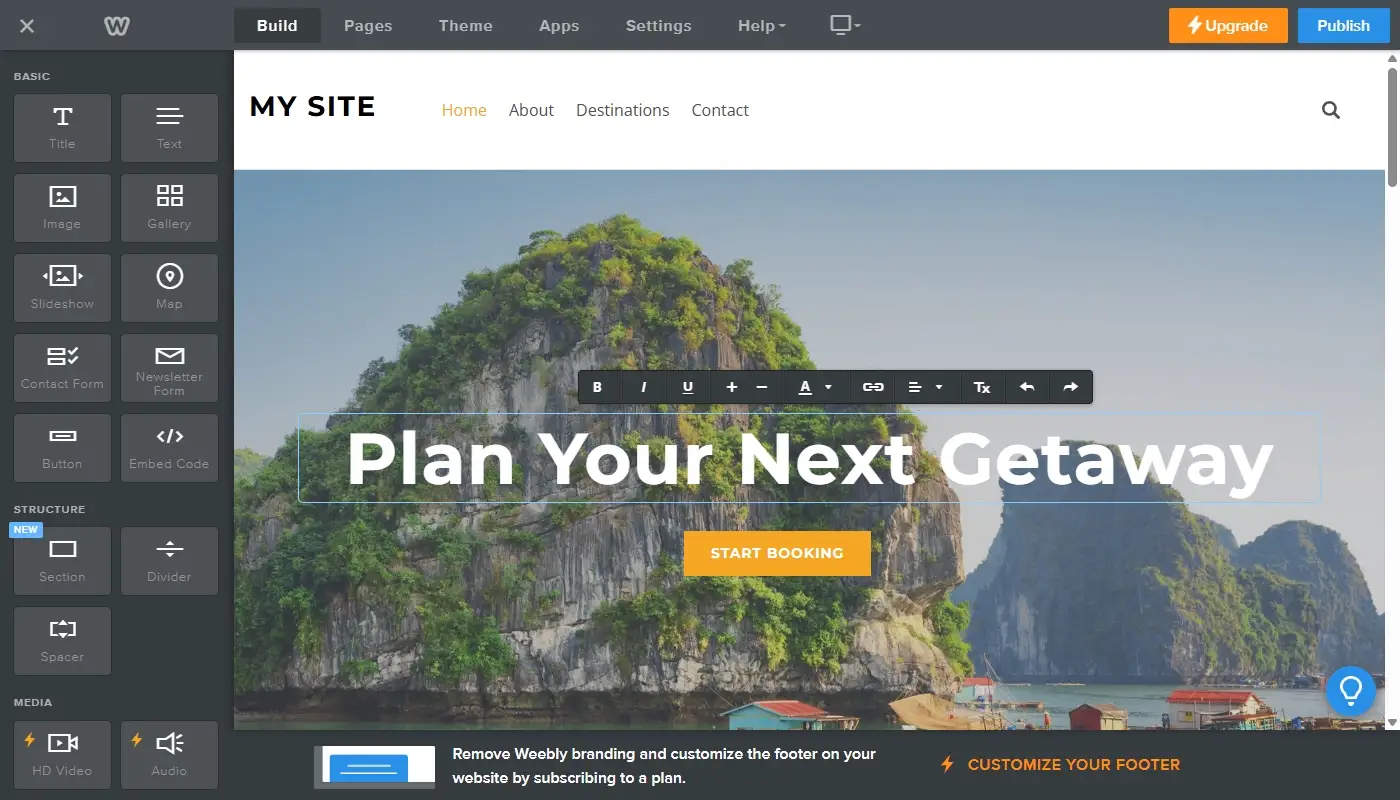
The drag-and-drop editor remains the clearest reason people choose Weebly. Its controls are easy to understand, the interface is relatively uncluttered and a beginner can publish a basic page without studying design systems or responsive CSS.
You build pages by adding elements such as text, images, buttons, galleries, maps and forms. Elements fit into the theme’s content structure, which helps maintain a reasonably orderly layout. Changes are visible while you work, so there is little separation between editing and previewing.
This constrained approach is useful for speed. It prevents many of the positioning mistakes that occur in completely freeform editors, and it gives non-designers fewer decisions to make.
The same structure becomes frustrating when a site needs:
- Precise control over margins, gaps and element sizing.
- Different compositions for desktop, tablet and mobile screens.
- Layered elements, asymmetric grids or advanced visual effects.
- Reusable design systems for a large number of landing pages.
- Complex conditional content or data-driven layouts.
For a five-page brochure site, these limitations may never become urgent. For an agency, ambitious brand or business that regularly launches campaigns, the editor can quickly become the main obstacle rather than the main convenience.
Templates, Mobile Design and Visual Identity
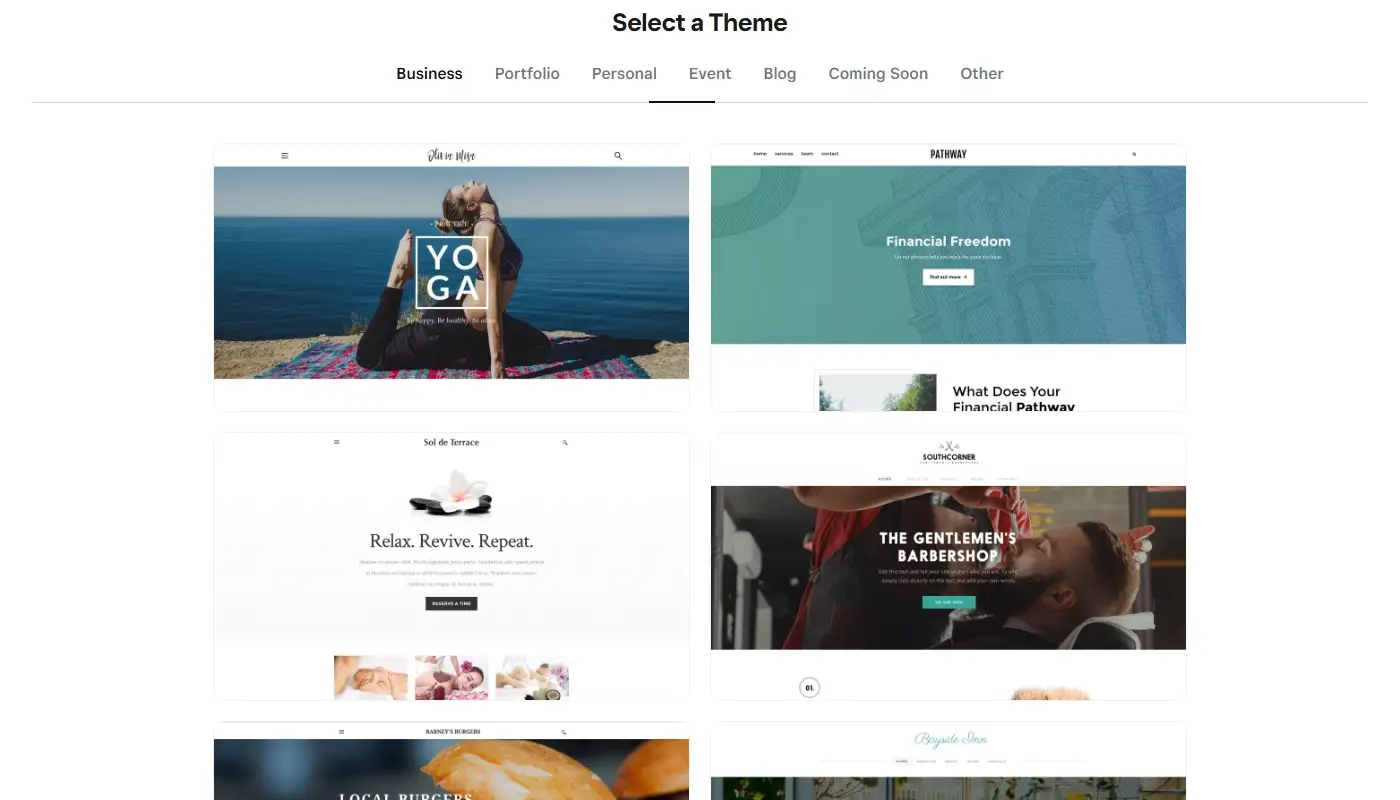
Weebly provides themes for common website categories such as business, portfolio, blog, event and online store projects. Most use clear typography, familiar navigation patterns and responsive foundations that adapt the layout for smaller screens.
The advantage is consistency. A user can replace sample content and obtain a clean website without making every visual decision from scratch. Basic controls for fonts, colors, backgrounds and sections are enough for a simple local-business presence or personal portfolio.
The problem is differentiation. The theme collection is much smaller than the libraries offered by more actively expanding website platforms, and many designs share a similar visual language. It is possible to add custom HTML or CSS in some situations, but doing so works against the main reason most people choose Weebly: avoiding technical work.
Mobile behavior is largely controlled by the theme. This is convenient when the automatic result works, but it gives you fewer tools to solve screen-specific layout problems. Modern professional builders increasingly allow designers to set breakpoints, change stacking behavior and fine-tune individual layouts. Weebly is far more limited in this area.
For a site where visual identity is secondary, the templates remain usable. For a brand competing on presentation, conversion design or distinctive storytelling, the platform’s design ceiling is difficult to ignore.
Read also: Wix In-Depth review
Blogging and Content Management
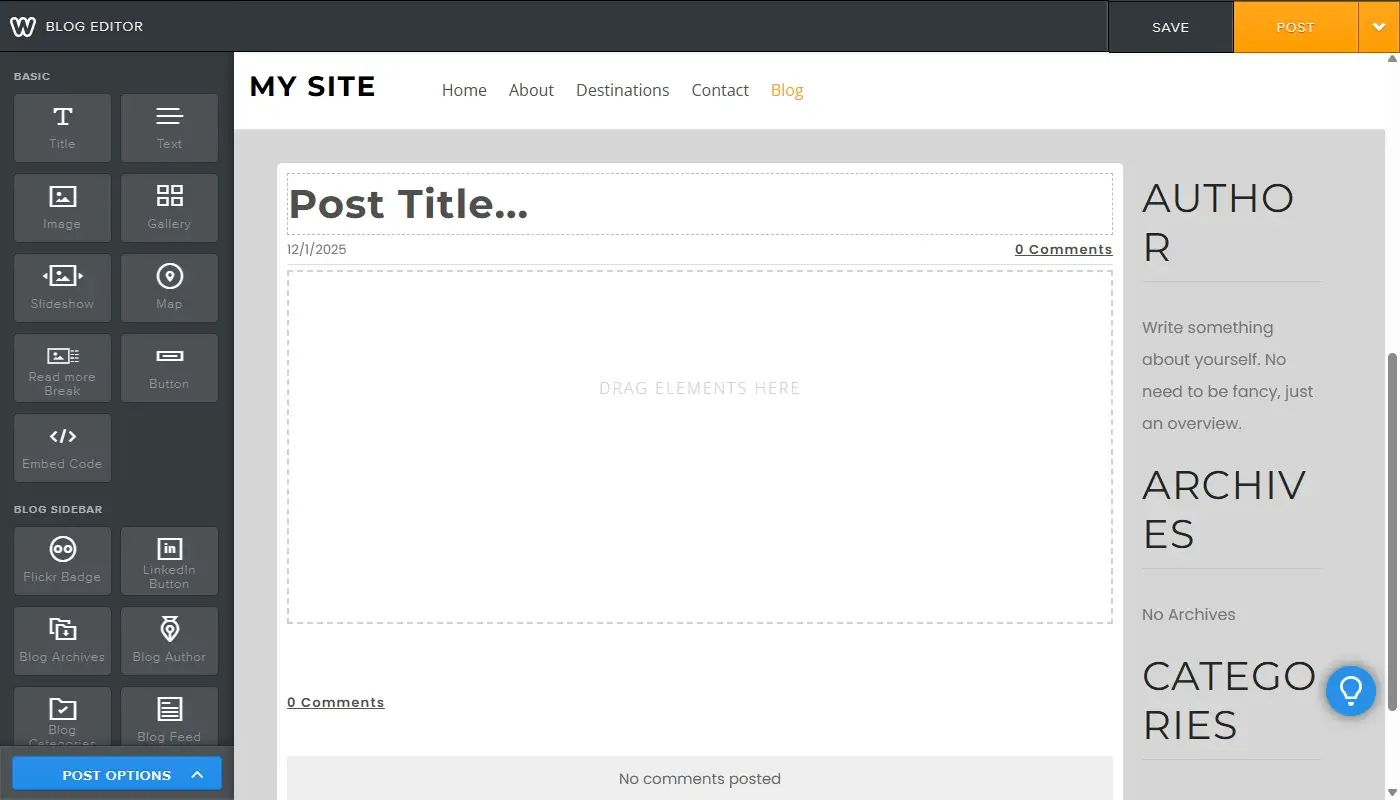
Weebly includes a built-in blogging system. You can publish posts containing text, images and embedded media, assign categories, schedule publication and enable basic social or commenting features depending on the site configuration.
For occasional company news, personal writing or a small collection of evergreen articles, the workflow is simple and accessible. A business owner does not need to install a separate blogging plugin or maintain another application.
The limitations appear when content becomes a core growth channel. Weebly does not provide the same depth as a full CMS for custom content types, complex taxonomies, advanced editorial workflows or large-scale dynamic archives. Managing a few dozen articles is very different from building a publication with hundreds of posts, multiple authors, pillar pages and interconnected topic clusters.
There is also a portability concern. Weebly’s site archive does not include blog pages in the same complete way as ordinary static pages because the blog depends on platform-side data. Anyone relying on a large Weebly blog should maintain a separate content inventory and copies of important posts rather than assuming the standard archive is a complete backup.
Weebly can host a blog, but it is not the strongest choice for a business whose primary strategy depends on publishing, organizing and repurposing a large content library.
eCommerce: Weebly Stores and the Square Online Question
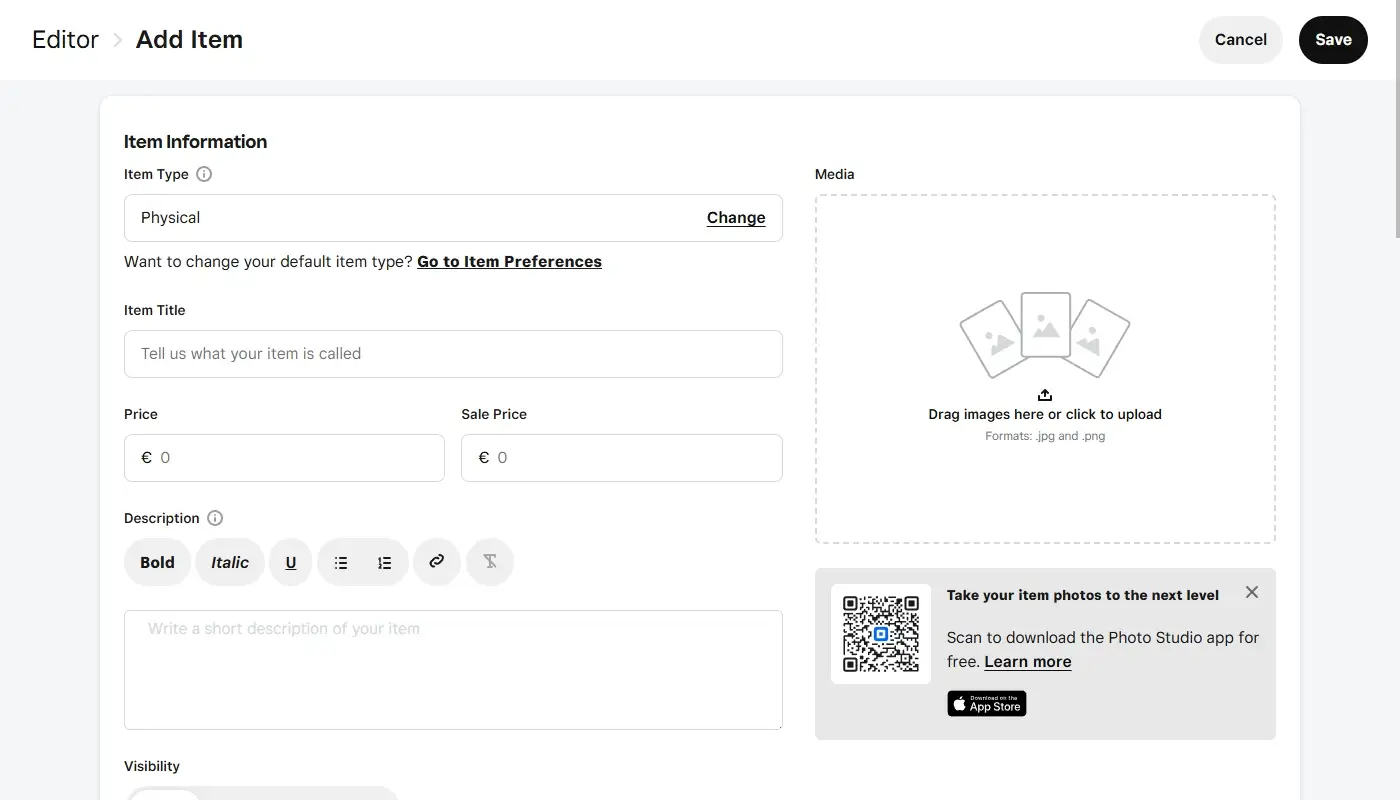
Weebly includes eCommerce features for creating products, organizing a catalog, accepting payments, managing orders and configuring basic fulfillment settings. For a small store with a limited number of items, that can be enough to begin selling without maintaining a separate commerce platform.
However, evaluating Weebly commerce in 2026 requires understanding Square’s product direction. Square increasingly centralizes its current online-selling features in Square Online and the wider Square Dashboard. Square’s own support materials tell Weebly creators to transition to the Square Online builder to access the most up-to-date website features.
This does not mean every existing Weebly store must move immediately. A stable catalog with working payments and a familiar workflow may continue to meet the owner’s needs. It does mean that a new merchant should compare Weebly with Square Online rather than assuming classic Weebly is Square’s primary long-term commerce builder.
Weebly is most realistic for:
- A small product catalog with straightforward variants.
- Simple shipping, pickup or local business requirements.
- An existing site where the store is already functioning reliably.
- A side business where advanced retail automation is unnecessary.
More complex stores may need deeper inventory workflows, international selling, sophisticated promotions, subscriptions, marketplace connections or specialized fulfillment integrations. For those businesses, Shopify, WooCommerce, Wix or Square Online may provide a more suitable growth path depending on the surrounding operation.
Store owners should also treat migration as a data project. Product information, customer records, order history, redirects, payment configuration and tax settings must be planned separately from the visual rebuild.
Read also: Weebly vs Wix — How to Pick the Right Website Builder for You
Apps, Integrations and Extensibility
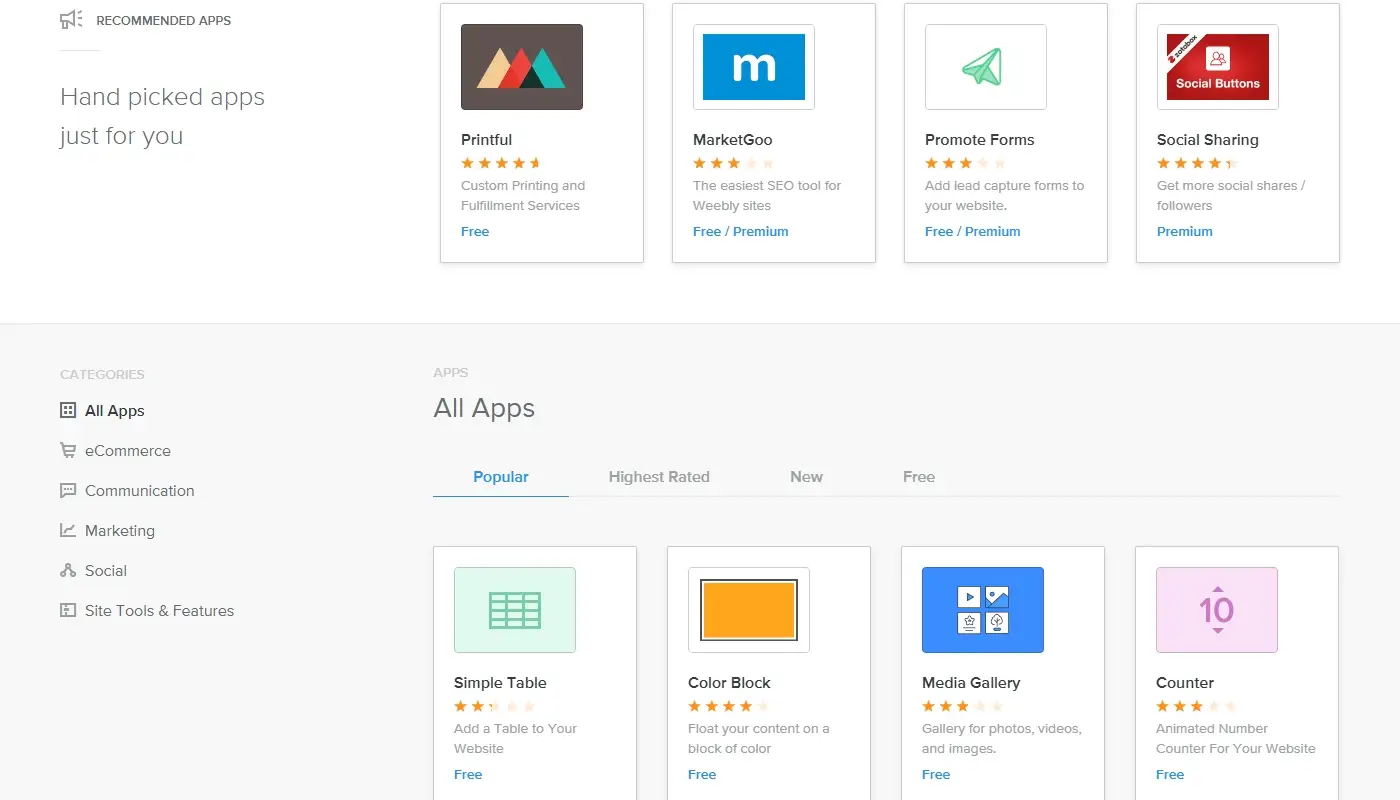
The Weebly App Center remains available and offers integrations for marketing, social content, calendars, menus, forms, shipping and other website functions. Apps can often be added directly to a site without writing custom code.
The issue is not the complete absence of extensions. It is the size, freshness and range of the ecosystem compared with larger platforms. A business may find one available app for a task rather than several competing options, and some modern SaaS products do not provide a dedicated Weebly integration.
Common outcomes include:
- Using a generic embed instead of a native integration.
- Connecting tools through an external automation service.
- Accepting a simplified workflow with fewer features.
- Replacing a preferred service with one that supports Weebly.
These compromises may be harmless for a simple website. They become expensive when the site must connect reliably to CRM, customer support, analytics, email automation, membership or operational systems.
Before choosing or renewing Weebly for a business-critical project, list the specific integrations required now and over the next two years. Testing those connections is more useful than relying on a general promise that the platform has an app marketplace.
SEO and Analytics: Capable of the Basics
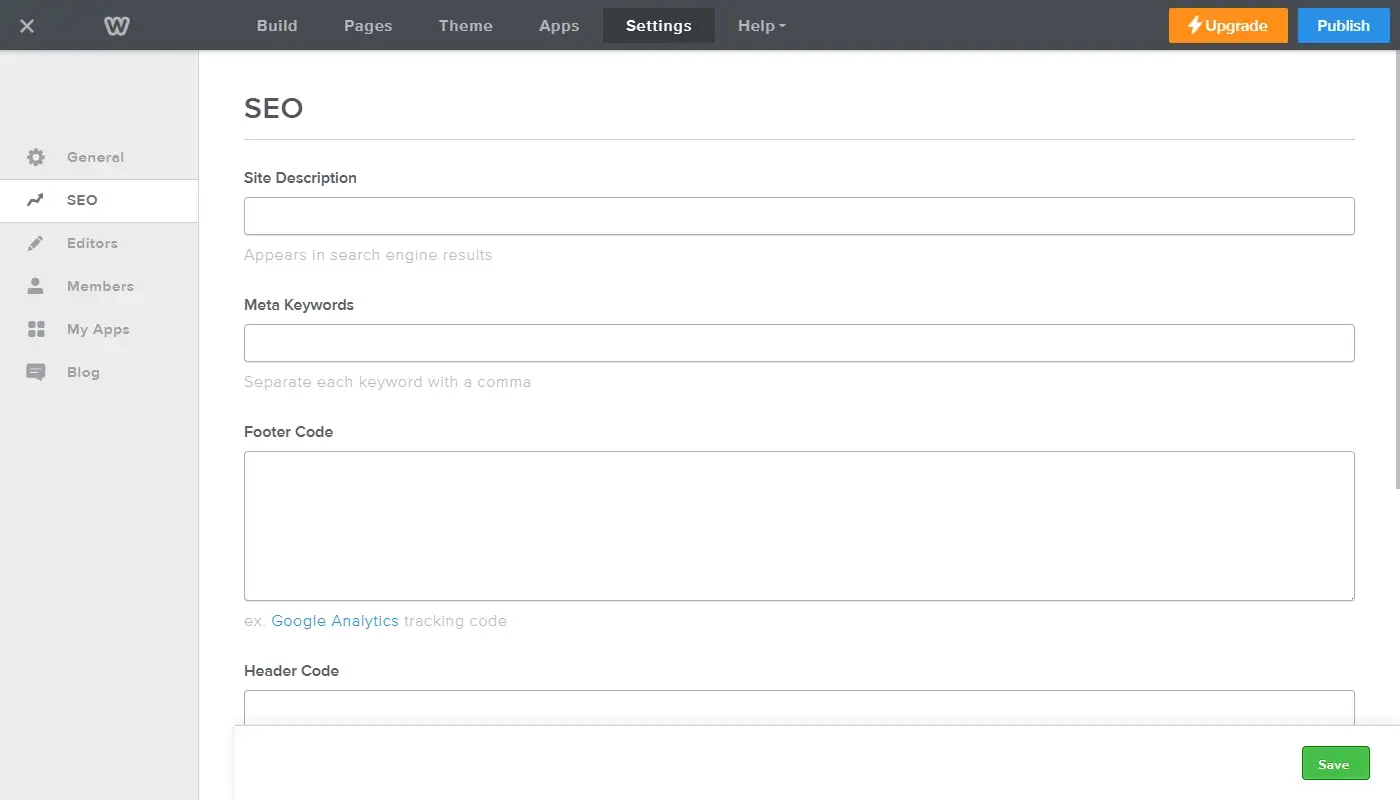
Weebly includes fundamental SEO settings. Site owners can work with page titles, meta descriptions, page URLs, headings, image alt text and site-level descriptions or keywords. External analytics and search tools can also be connected through the available settings or code fields.
These controls are enough to optimize a small brochure website for relevant local or low-competition searches. Search visibility still depends heavily on useful content, clear page structure, internal links, local signals and authority—not only on the platform.
Weebly becomes less comfortable when an SEO program requires:
- Large-scale metadata and URL rules.
- Advanced structured data across multiple content types.
- Detailed canonical and indexation management.
- Complex redirects during frequent content restructuring.
- Custom dynamic page templates for hundreds of landing pages.
- Deep technical performance optimization.
A carefully built Weebly site can rank. The concern is not that search engines automatically reject the platform, but that an advanced SEO team has fewer technical levers and less scalable content infrastructure than it would have in Wix, Webflow or WordPress.
Current Weebly Pricing and Value
Weebly continues to publish four primary plan levels in the United States: Free, Personal, Professional and Performance. At the time of this update, the advertised annual-billing prices are $0, $13, $15 and $32 per month respectively, with higher rates for month-to-month billing. Prices can vary by market and may change, so the live pricing page should always be checked before purchase.
| Plan | Advertised Annual-Billing Price | Best Considered For |
| Free | $0 per month | Testing the builder or publishing a low-stakes project on a branded subdomain |
| Personal | $13 per month | Connecting a custom domain to a simple personal or informational site |
| Professional | $15 per month | A more polished small site requiring additional customization |
| Performance | $32 per month | Businesses needing the platform’s higher-level selling and growth features |
The narrow price gap between Personal and Professional makes feature comparison more important than choosing purely by the lowest monthly number. The Performance tier should be evaluated against more modern commerce-focused platforms rather than against Weebly’s own entry plans alone.
The real cost also includes premium apps, email, transaction-related expenses, design work and the time spent working around limitations. A low subscription price is not good value if the platform prevents a site from supporting the business process it was built for.
Performance, Security and Maintenance
Managed infrastructure remains one of Weebly’s most practical strengths. The platform handles hosting and core software maintenance, so users do not need to install security patches, manage server versions or troubleshoot plugin conflicts.
This is valuable for small organizations without technical staff. A self-hosted platform can provide more control, but only if someone is responsible for updates, backups and security. Weebly removes much of that operational burden.
The trade-off is limited optimization control. Site owners can resize images, reduce unnecessary media and keep pages simple, but they cannot change the server stack, caching architecture or deeper delivery configuration.
Security is also shared. Weebly manages platform infrastructure, while the account owner remains responsible for strong login practices, editor access, domain control, third-party services and the lawful handling of customer information.
For a simple site, the hosted model is usually more convenient than restrictive. For a technically demanding project, the inability to control infrastructure is one more reason to choose a different platform.
Backups, Export and Migration Risk
Weebly allows a site owner to request an archive containing static website files. This is useful as a reference and partial backup, but it should not be mistaken for a complete restore package or one-click migration file.
Blog and store pages are excluded because they depend on Weebly’s database. Some interactive components, including forms or slideshows, may not work correctly outside the editor. The archive also cannot simply be uploaded into a different builder and transformed into a fully functioning copy.
A responsible backup plan should therefore include:
- The Weebly archive of static pages and assets.
- Separate copies of every important blog post.
- Original images, downloads and brand files.
- Exports of products, customers and orders where available.
- A complete list of current page URLs and metadata.
- Documentation of forms, apps and third-party integrations.
Moving away from Weebly normally requires rebuilding the design in the destination platform, transferring content and data, reconnecting tools and setting redirects. The smaller and better documented the site, the easier the move will be.
Weebly’s Advantages: Where It Still Makes Sense
Weebly still has genuine strengths, particularly when expectations are modest and clearly defined.
- Very low barrier to entry. A beginner can choose a theme, create several pages and publish without learning hosting administration or a complex design interface.
- Low maintenance overhead. Hosting, infrastructure and platform updates are handled centrally, which reduces routine technical work.
- Predictable editing experience. The limited design system means fewer choices, fewer configuration screens and less risk of overengineering a small project.
- Useful for maintaining an existing simple site. A working Weebly site does not need to be migrated merely because newer builders exist. If it remains secure, accurate and effective, keeping it online may be the least disruptive option.
- Free way to test a basic concept. The free tier still provides an opportunity to explore the workflow before connecting a custom domain or committing to a paid plan.
Weebly can remain appropriate for a personal portfolio, temporary information site, school or community project, small local brochure site or existing micro-store with stable requirements.
Weebly’s Drawbacks: Where It Starts to Hold You Back
The platform becomes difficult to justify when the website is expected to change frequently, integrate with a modern business stack or play a central role in growth.
- Limited design and responsive control. The editor is fast for standard layouts but restrictive for distinctive branding, advanced landing pages and detailed screen-specific design.
- Smaller integration ecosystem. The App Center covers common functions, but businesses have fewer choices and may depend on embeds or workarounds.
- Basic content architecture. Blogging works, but large editorial strategies, custom data structures and sophisticated publishing workflows are not Weebly’s strength.
- Limited technical SEO scalability. Core optimization is possible, while advanced schema, automation and technical control remain constrained.
- Incomplete portability. The archive excludes database-driven blog and store pages, and a full migration requires reconstruction.
- Unclearer long-term product path than newer competitors. Square continues to support Weebly, but directs creators who want its newest website features toward Square Online. That is a meaningful consideration for anyone launching a new project.
These disadvantages may not matter when a site is small. They usually become visible only after the site gains more content, more traffic and more responsibility inside the business.
Should Existing Weebly Users Stay or Move?
An existing Weebly owner should not migrate only because another platform has more features. Migration consumes time, introduces SEO risk and creates a new system to learn. The decision should be based on specific business limitations.
Staying can make sense when:
- The site is accurate, secure and easy for the owner to update.
- Traffic and leads are stable.
- The design still represents the business adequately.
- Required forms, payments and integrations continue to work.
- No major expansion is planned.
Planning a move becomes reasonable when:
- The editor prevents an important redesign or landing-page strategy.
- A required CRM, booking or marketing tool cannot be integrated reliably.
- The store needs functionality better supported by a commerce-first platform.
- Content production has outgrown the blog system.
- The business needs more advanced SEO or structured content.
- The cost of workarounds is greater than the cost of migration.
The safest approach is to prepare before the platform becomes an emergency. Export available data, inventory the site, choose a destination based on future requirements and rebuild on a temporary domain or staging environment before changing DNS.
Final Verdict: Is Weebly Still Worth Using?
Weebly still performs its original job: it provides a low-friction way to publish and maintain a simple hosted website. Its editor is approachable, its plans remain available and its managed infrastructure removes most technical maintenance.
That does not make it the best default choice for a new business website in 2026. The platform offers less design freedom, responsive control, extensibility and content scalability than Wix, WordPress, Webflow and other modern alternatives. Square’s emphasis on Square Online for the newest website and commerce features also makes the long-term direction of classic Weebly less compelling for a new project.
For an existing small site that continues to meet its goals, staying on Weebly can be practical. For a new brand, growing store, content-led business or website expected to support sophisticated marketing, choosing a more actively expanding platform is usually the safer investment.
The key distinction is not whether Weebly can publish a website. It can. The decision is whether the platform gives that website enough room to remain useful as the organization, content and customer journey become more demanding.
Read also: Best Weebly Alternatives — Top Platforms for Moving Your Website