If you’ve been researching modern website builders, Wix appears everywhere. It powers millions of sites across industries – photographers, restaurants, coaches, agencies, online stores, SaaS products and more. It promises powerful design tools, a huge template library, and a growing ecosystem of apps and integrations – all without asking you to code.
But how does Wix actually behave in real life, beyond the marketing pages? And is it the right platform for your website?
This in-depth review takes a practical, all-round look at Wix: how it works behind the scenes, what it genuinely does well, where its limits are, and what kinds of projects benefit the most from building (or migrating) to it.
What Wix Is and How It Works
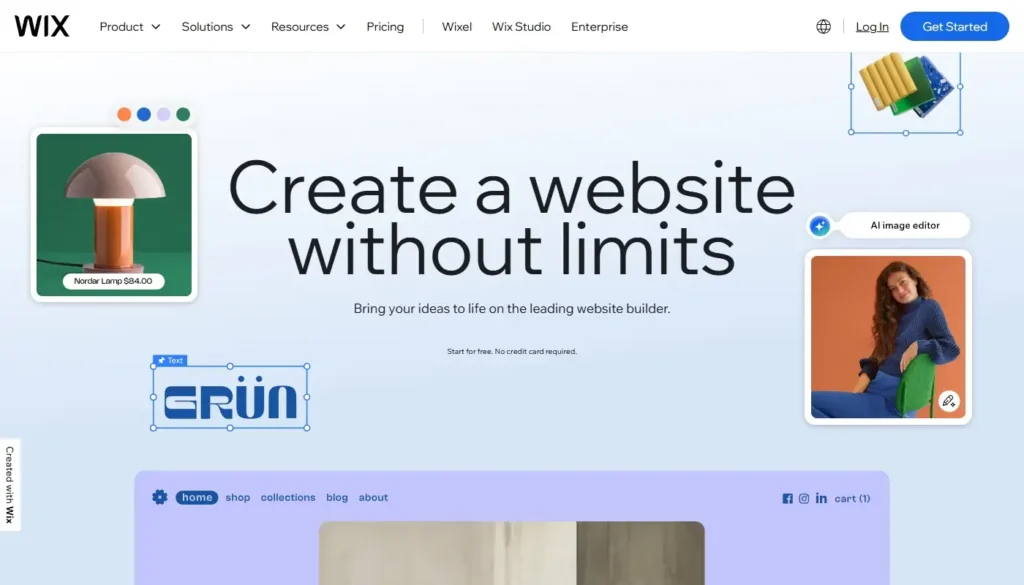
Wix is a hosted website builder. That means:
- You sign up for an account.
- You choose a template or start from a blank layout.
- You build your site using a visual editor in your browser.
- Hosting, security basics and the core builder all come bundled in your subscription.
You don’t install software on a server, and you don’t manage infrastructure. Wix handles the platform; you focus on content, design, and configuration.
At a high level, Wix combines ф visual editor (or several, depending on which mode you choose), a large template library across niches and use cases, an App Market with add-ons and integrations, built-in tools for blogging, eCommerce, bookings, portfolios, events etc.
Structurally, it’s a closed, proprietary system – like other hosted builders. You get a lot of convenience and a carefully designed environment, but you’re living inside Wix’s ecosystem and roadmap.
The Editing Experience: Visual Control with Multiple Modes
One of Wix’s main selling points is its editing experience. It offers more than a single “one-size-fits-all” builder.
Classic drag-and-drop editing

The traditional Wix Editor is highly visual and freeform: you can drag elements almost anywhere on the canvas, adjust spacing, alignment and layering directly, see a near-final representation of your page as you work.
This is very different from rigid, grid-only builders. It feels closer to designing a slide in a presentation tool – but with more structure and responsiveness behind the scenes.
The upside is clear: you can match your layout to a designer’s mockup much more closely than on many competing platforms. The downside is that total freedom can lead to messy layouts if you don’t follow some consistent design rules.
Block- and section-based building
Alongside freeform placement, Wix also supports more structured building: pre-designed sections you can drop into pages (hero areas, testimonials, feature grids, etc.), layout tools that encourage consistent spacing and alignment, design “systems” where you define fonts and colors globally.
This hybrid approach means you can move quickly using ready-made sections, then fine-tune visually when you want something more custom.
For most small businesses, the learning curve is a bit higher than ultra-simple builders – but in exchange, you get far more creative control.
Templates and Design Flexibility
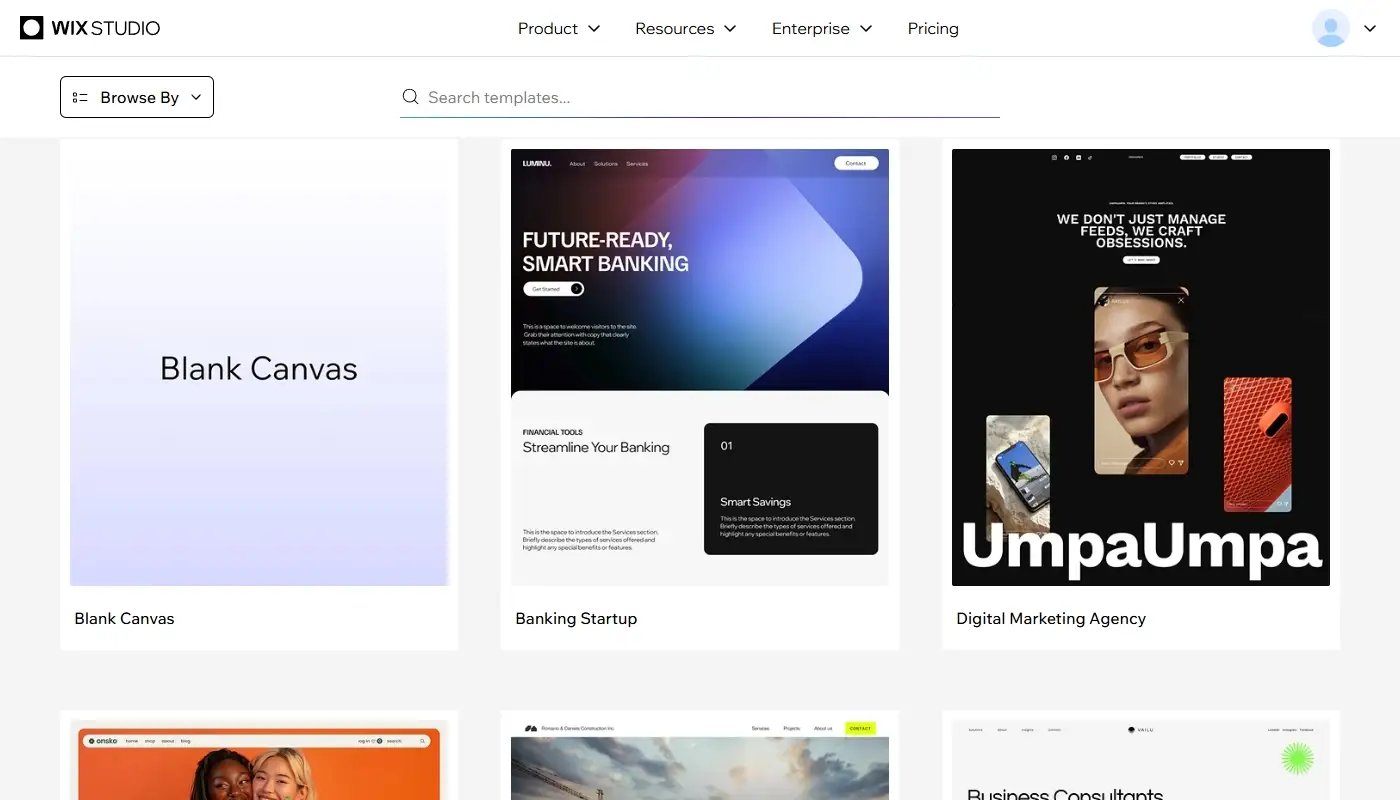
Wix is known for its large, constantly updated template library. You’ll find designs tailored for agencies and freelancers, restaurants and cafés, photographers and creative studios, consultants and coaches, bloggers and content creators as well as online stores, course creators etc.
Each template typically comes with a homepage plus key inner pages (About, Services, Contact, Shop, etc.), pre-built sections and patterns you can reuse or modify, visual style that already feels modern and polished.
You can start with a template that’s close to what you want, then update fonts and colors to match your brand, swap out sections, images and copy as well as adjust layouts or add entirely new pages and structures.
Compared to Weebly and many basic builders, Wix’s design flexibility is a big step up. You’re not stuck with one safe layout; you can create sites that feel bespoke and contemporary.
For users who care about branding and aesthetics, this is one of the main reasons to choose Wix over simpler platforms.
Apps, Integrations and Built-In Business Tools
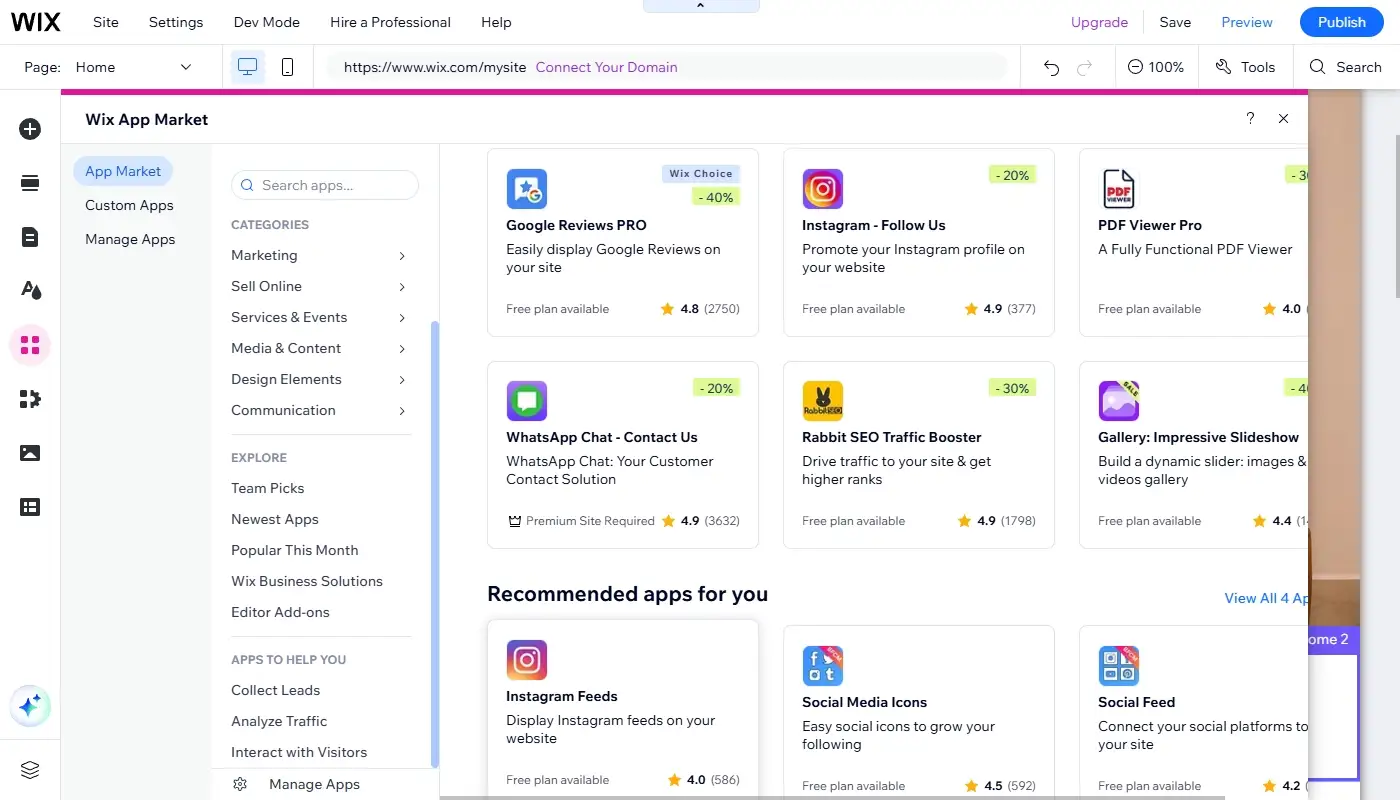
Modern websites are rarely “just pages.” They need to tie into marketing workflows, booking systems, email platforms, analytics tools, and more. Wix tackles this with a combination of native business modules (blogging, stores, bookings, events, pricing plans etc.) and a Wix App Market full of add-ons and integrations.
Depending on your needs, you can add advanced contact forms and lead capture tools, integrate with email marketing services, set up online bookings and calendars for classes, appointments, or services, embed social feeds, reviews, and chat widgets as well as connect to third-party analytics or automation platforms.
You won’t find every integration that exists in the broader web ecosystem, but you’ll almost always find something workable for mainstream use cases. For most small to mid-sized businesses, the available combinations cover a lot of ground.
The key benefit here is that you can grow into Wix rather than outgrow it immediately. You might start with a simple brochure site, then add a blog, then a booking system, then a small shop, all without leaving the platform.
Blogging and Content Management
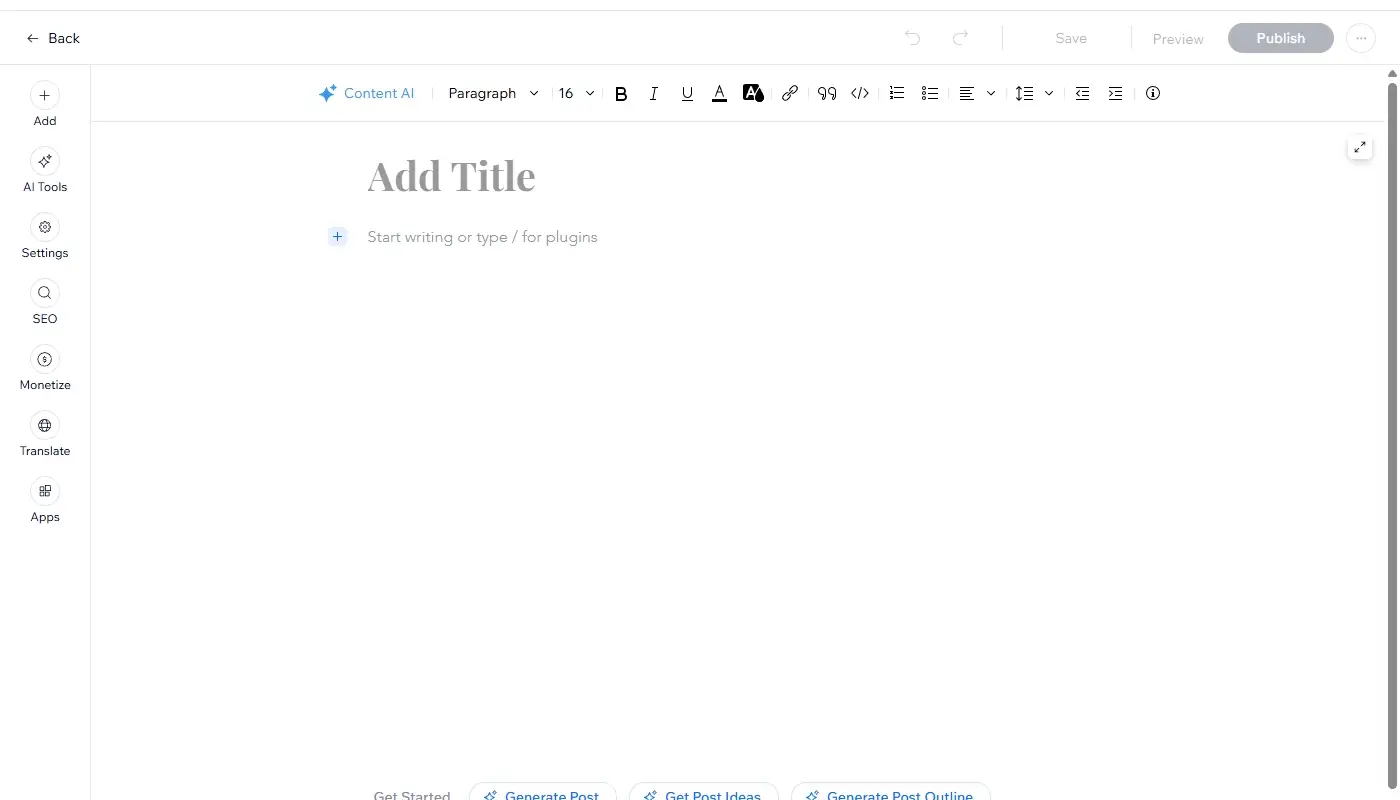
Wix includes solid tools for blogging and recurring content: a dedicated blog module with posts, categories, and tags, visual post editor with images, video, and rich content blocks, decent control over blog layouts and post templates.
For most small businesses, creative professionals, and personal brands, Wix’s blogging features are more than enough. You can publish articles, organize them logically, and weave them into your overall site structure and marketing.
If you’re planning a very large, content-heavy site with hundreds or thousands of posts and complex taxonomies, you might eventually find WordPress more suitable. But for the majority of sites that mix service pages with a modest blog, Wix strikes a reasonable balance between simplicity and power.
eCommerce: Turning Wix into an Online Store
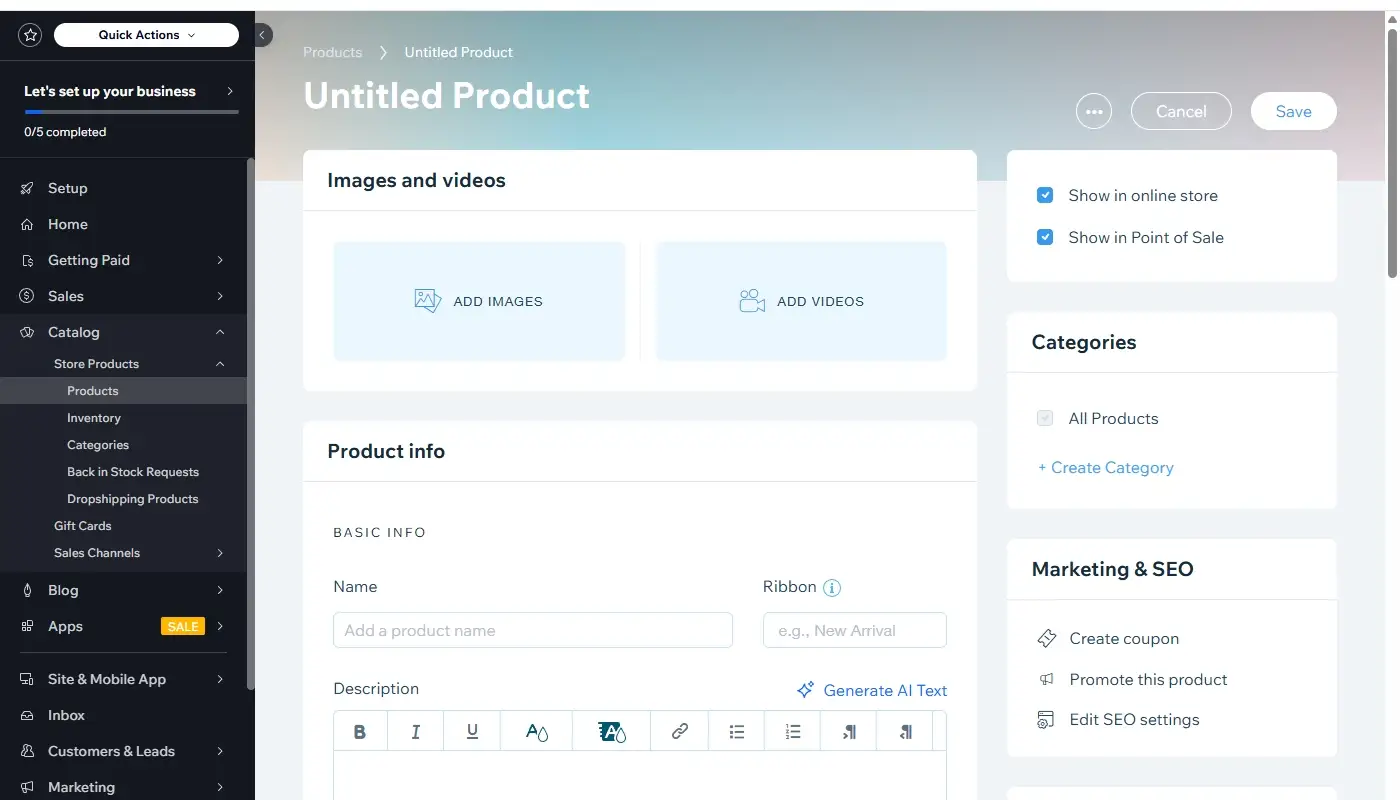
Wix includes native eCommerce capabilities that allow you to:
- Create a product catalog with images, variants, and descriptions.
- Set up carts, checkout, and payment processing.
- Manage inventory, shipping zones, and basic tax configurations.
- Offer discounts, coupons, and simple promotional campaigns.
It’s a strong option for small to medium online stores, brands that combine content, portfolio, and shop in one site and service businesses that sell digital goods, packages or simple products.
For very large, complex retail operations, platforms like Shopify will still have the edge in specialized features and deep commerce integrations. But if your store is part of a broader website strategy – rather than your entire business model – Wix’s eCommerce tools are often more than sufficient.
The big advantage is that you don’t need a separate store platform and content CMS; you can keep everything under one roof.
SEO, Performance, and Growth Potential
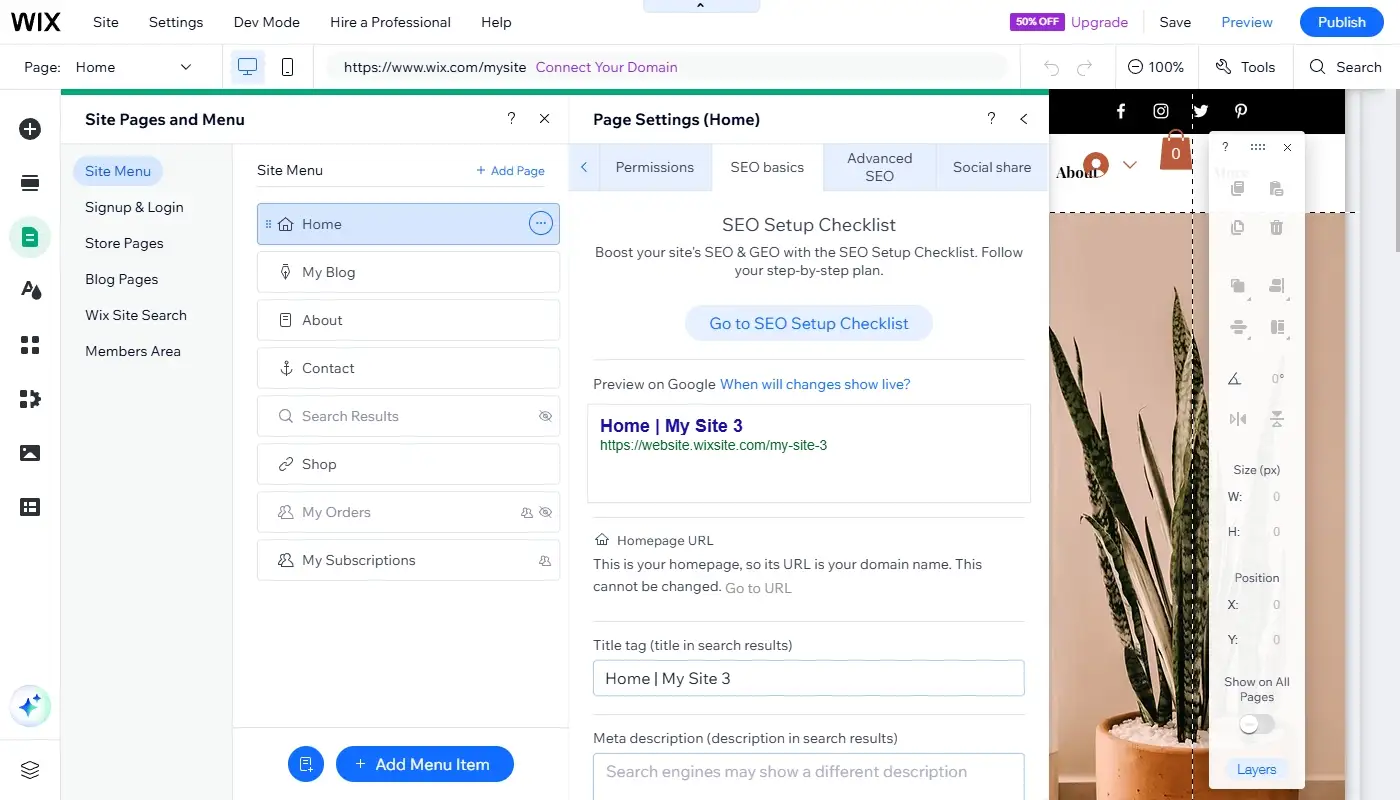
Wix has invested heavily in SEO and performance over the years, moving far beyond the early perception that “site builders are bad for SEO.”
On the SEO side, you can:
- Edit titles, meta descriptions, and URLs for pages and posts.
- Set up redirects and handle basic canonical issues.
- Use built-in structured data tools in certain contexts.
- Configure blog and product SEO settings at scale.
You also get helpful in-editor guidance and checklists for basic on-page SEO best practices. While it doesn’t replace a full SEO strategy or advanced tools, it gives non-specialists a usable starting point.
Performance-wise, Wix handles hosting and infrastructure and continues to improve platform-level optimizations. You still need to be careful with huge, uncompressed images, overloaded pages with too many heavy apps and complex design experiments that slow down rendering.
But you’re not starting from a fundamentally weak position. For most small and mid-sized sites, Wix can be tuned to perform well enough for good user experience and search visibility, especially if you follow best practices for media and page structure.
In terms of growth potential, Wix sits in a strong middle ground: not as open and scalable as a custom or WordPress setup, but far more growth-friendly than older, rigid builders like Weebly.
Pricing and Overall Value
Wix uses a tiered subscription model. You choose a plan based on whether you need a basic site or a business/eCommerce setup, how much storage and bandwidth you expect to use and which built-in features and support levels you need.
Compared to the simplest builders, Wix’s plans may look slightly more expensive. But price alone doesn’t tell the whole story – you need to consider the breadth of features included at each level, the cost of not having the tools and integrations you need and the potential revenue and leads a more capable, better-looking site can generate.
For projects where the website is a real business asset (not just a throwaway page), Wix’s pricing generally reflects good value: you’re paying for a more powerful builder, a richer ecosystem, and ongoing platform development.
If cost is the only factor and your expectations are extremely low, simpler platforms might win. If results and growth matter, Wix’s balance between price and capability is often very reasonable.
Limitations and Trade-Offs You Should Know About
No platform is perfect. Before you commit to Wix, it’s worth being clear about its trade-offs:
- It’s still a proprietary system. You can export some content, but you can’t simply move your entire design and structure to another platform. Migrating away will involve reconstruction.
- The editor’s freedom can be overwhelming or lead to messy layouts if you don’t practice some design discipline.
- For ultra-large, content-first sites or very complex eCommerce setups, more specialized platforms (like self-hosted WordPress or Shopify) can eventually offer more control.
- You share responsibility for performance with the platform: Wix provides a strong base, but you still have to design pages thoughtfully and manage media intelligently.
In short, Wix is not a magic solution that eliminates all constraints. It’s a very capable builder inside a well-designed garden – with all the pros and cons that implies.
Is Wix the Right Choice for Your Website?
Wix is not the simplest builder on the market – and that’s exactly why so many site owners choose it. Instead of prioritizing minimalism at all costs, it focuses on giving you visual power, functional depth, and room to grow, while still keeping you away from low-level server management and code.
It’s a strong choice if your website is meant to represent your brand professionally, not just exist. You care about design and user experience and want modern, polished layouts. You can also expect to add features over time – blogging, bookings, eCommerce, events, gated content. Finally, you’re ready to spend a little time learning the editor in exchange for much better results.
It’s less ideal if you only want a tiny, low-stakes site that will never change, or if you already know you’ll need the absolute maximum in customization and portability (where self-hosted WordPress or fully custom development take the lead).
If your website is tied to real clients, real sales, and real reputation, choosing a platform that’s actively developed, visually capable, and rich in business tools is rarely a bad idea. If you’d like a migration checklist or a visual feature comparison to help you kickstart your move, just let me know – happy to help you make a smart and smooth transition!
Read also: Best Weebly Alternatives